





Your Sales Process is Unique.
Your Pipeline Should Be Too
Build any sales process with drag-and-drop stages, weights, and stage fields. Run multiple pipelines from one view.
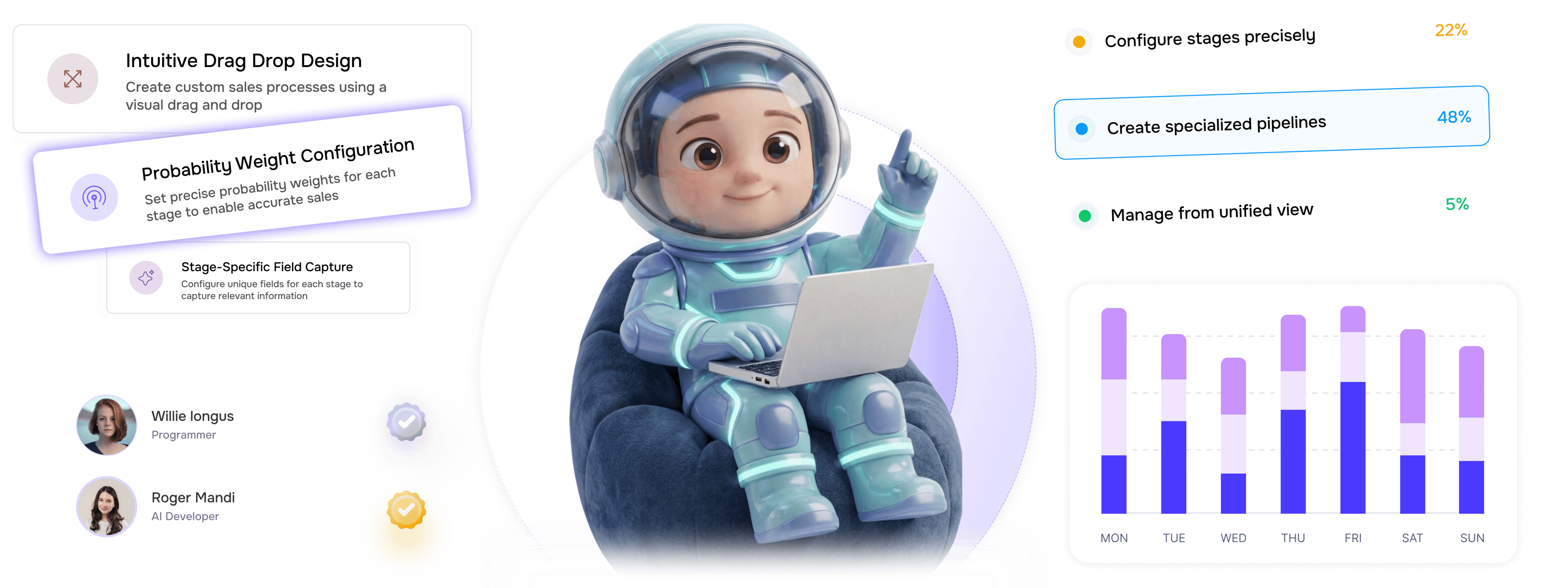
From drag and drop to unified management in 4 steps
Design processes by drag-and-drop, set weights and stage fields, create pipelines, manage from one view.
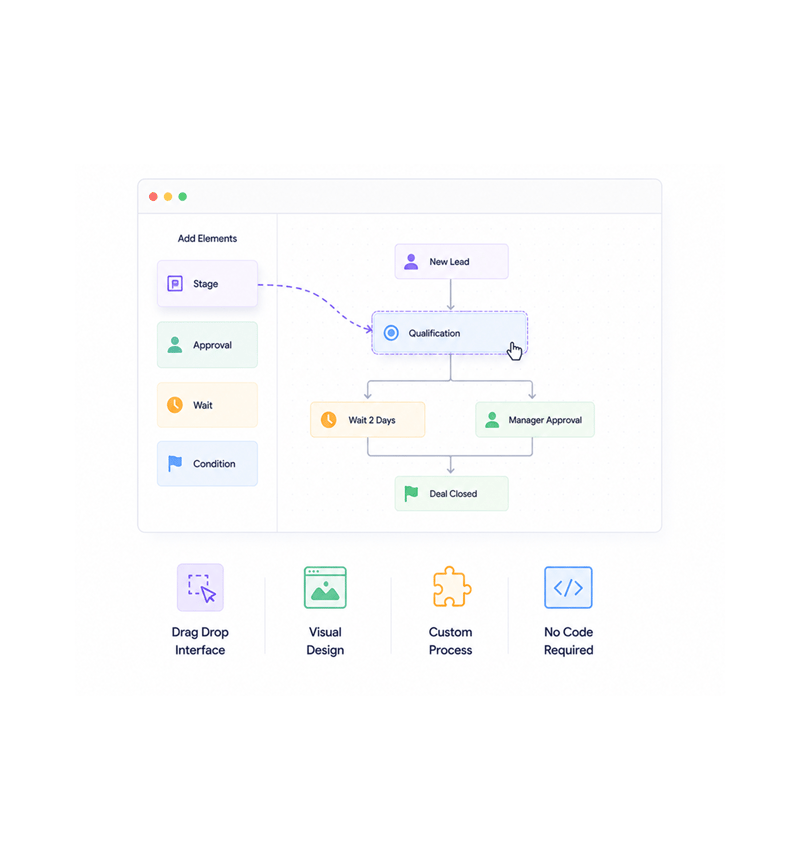
Visual Builder
Design with drag and drop
Create custom sales processes with an intuitive drag-and-drop interface that makes design effortless and visual. Build any structure matching your exact workflow without technical complexity or coding.
- Drag Drop Interface
- Visual Design
- Custom Process
- No Code Required
- Intuitive Builder
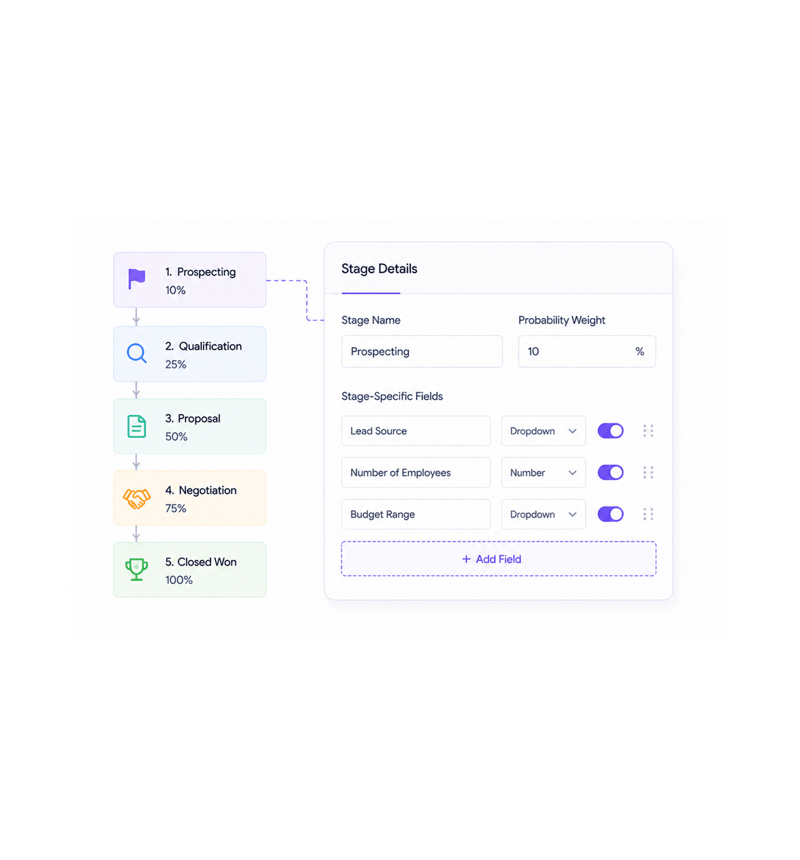
Stage Configuration
Configure stages precisely
Set probability weights and stage specific fields for each phase of your sales process to capture relevant information at every step. Precise configuration ensures accurate forecasting and proper data collection throughout the entire sales cycle.
- Probability Weights
- Stage Specific Fields
- Data Capture
- Accurate Forecasting
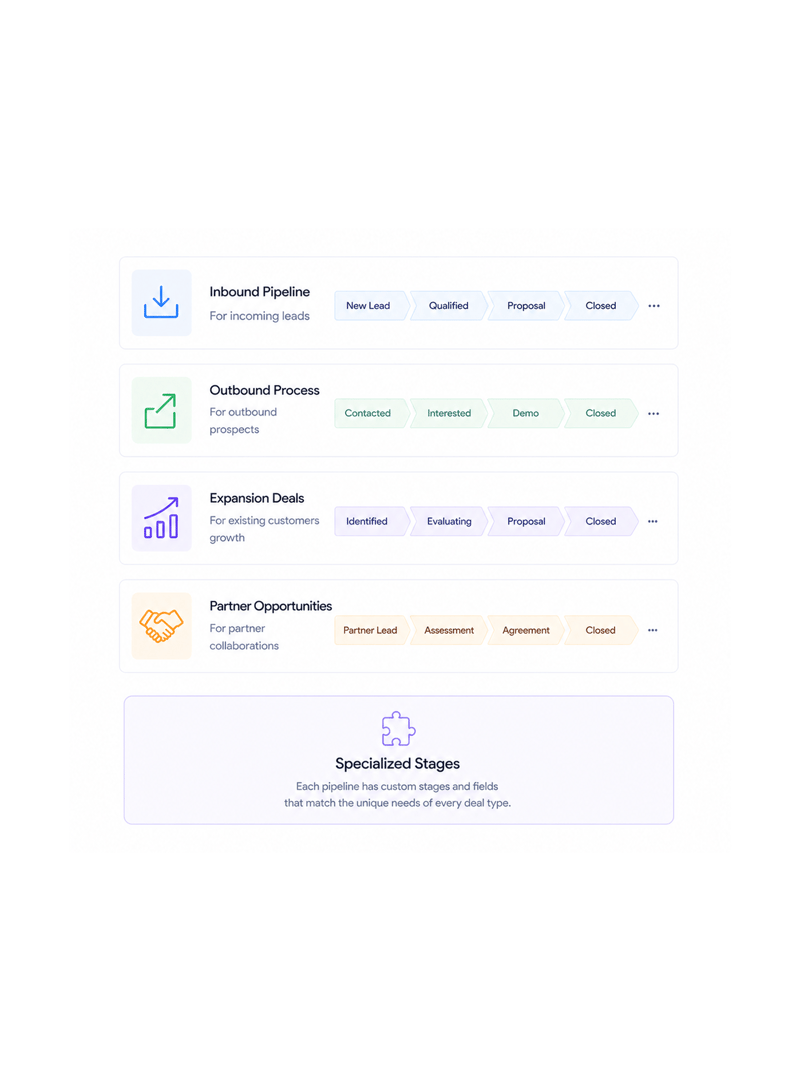
Multiple Processes
Create specialized pipelines
Build separate pipelines for inbound leads, outbound prospects, expansion, and partner deals, each with their own stages and requirements. Specialized pipelines enable tailored processes matched to each deal type.
- Inbound Pipeline
- Outbound Process
- Expansion Deals
- Partner Opportunities
- Specialized Stages
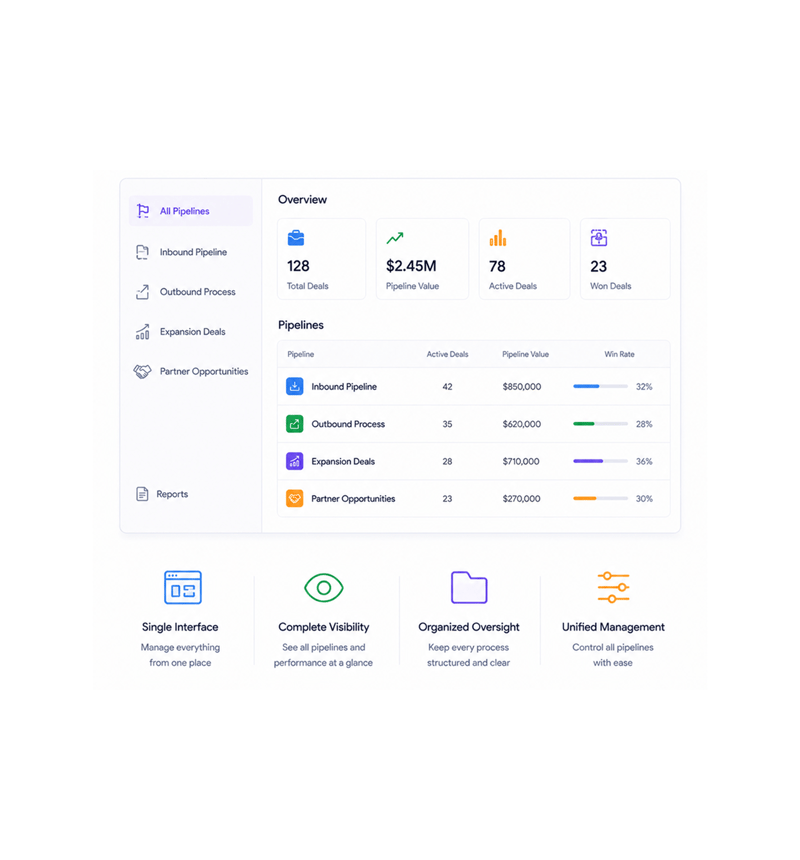
Central Management
Manage from unified view
Access and manage all your pipelines from a single unified interface that provides complete visibility across all deal types and processes, cutting context switching while keeping organized oversight.
- Single Interface
- Complete Visibility
- Organized Oversight
- Unified Management
Six reasons teams never go back
Once teams build pipelines with drag-and-drop and AI stage predictions, rigid CRM workflows feel impossibly restrictive.

Drag and Drop Pipeline Builder
An intuitive drag-and-drop interface enables rapid pipeline creation with custom stages and flexible workflow design at scale.

AI Powered Probability Weighting
Intelligent probability calculations with Stage Predict AI and Sign Probability automatically optimize deal forecasting and accuracy.

Stage Specific Custom Fields
Configure unique field requirements for each pipeline stage to ensure appropriate data collection, qualification, and pipeline quality.

Multi Pipeline Management
Create separate pipelines for inbound, outbound, expansion, and partner deals with specialized stages, enabling segmented coordination.

Unified View Dashboard
A comprehensive dashboard gives a consolidated view across all pipelines with cross-pipeline analytics for holistic sales oversight.

Process Flexibility and Scalability
Adaptable pipeline architecture supports evolving processes with unlimited customization and systematic scaling for organizational growth.
Drag and Drop Pipeline Builder
An intuitive drag-and-drop interface enables rapid pipeline creation with custom stages and flexible workflow design at scale.
AI Powered Probability Weighting
Intelligent probability calculations with Stage Predict AI and Sign Probability automatically optimize deal forecasting and accuracy.
Stage Specific Custom Fields
Configure unique field requirements for each pipeline stage to ensure appropriate data collection, qualification, and pipeline quality.
Multi Pipeline Management
Create separate pipelines for inbound, outbound, expansion, and partner deals with specialized stages, enabling segmented coordination.
Unified View Dashboard
A comprehensive dashboard gives a consolidated view across all pipelines with cross-pipeline analytics for holistic sales oversight.
Process Flexibility and Scalability
Adaptable pipeline architecture supports evolving processes with unlimited customization and systematic scaling for organizational growth.




850+
process teams
Built for every team that needs custom processes
Sales ops, revenue teams, and business dev all use LIO's custom pipelines as the shared process layer. The pipeline is structure, the stages are checkpoints, the unified view makes it manageable.
Custom pipeline possibilities
Pipeline types supported
Unified management view
Code required to build
Pipelines drive process optimization
Sales ops teams build custom pipelines with drag-and-drop design, weights, and stage fields for precise management and forecasting, replacing rigid templates so each stage captures data.
Built for enterprise pipeline infrastructure
Advanced architecture: drag-and-drop builders, AI probability engines, multi-stage config, analytics.

Visual Pipeline Builder
An intuitive drag-and-drop interface creates custom sales processes with flexible stage configuration and visual design at scale.

AI Powered Stage Prediction
Advanced Stage Predict AI and Sign Probability with 0-100 scoring deliver intelligent deal forecasting and stage advancement.

Dynamic Field Configuration
Stage-specific custom fields with flexible data requirements and qualification criteria enable comprehensive deal assessment.

Multi Pipeline Analytics
Comprehensive analytics across multiple pipelines with cross-pipeline reporting and performance insight support strategic decisions.

Process Automation Engine
Automated stage transitions, probability updates, and workflow triggers based on configurable business rules and AI insight.

Enterprise Pipeline Management
A unified dashboard with comprehensive oversight, cross-functional coordination, and scalable process management for enterprises.
Everything you need to know
Get answers to common questions about LIO's Custom Sales Pipelines feature.
Lio captures, scores, and follows up on every lead the moment it lands.
Win on speed with AI that routes and qualifies leads in real time, so your team always works the deals most likely to close.
- 3.2x
- faster lead response
- 94%
- lead capture rate
- 0
- leads missed
- 40%
- higher close rate