





The inline editor your CRM
should have shipped with.
Click any field in the list, pipeline, or detail view and edit in place. Changes save instantly, sync live, and log.
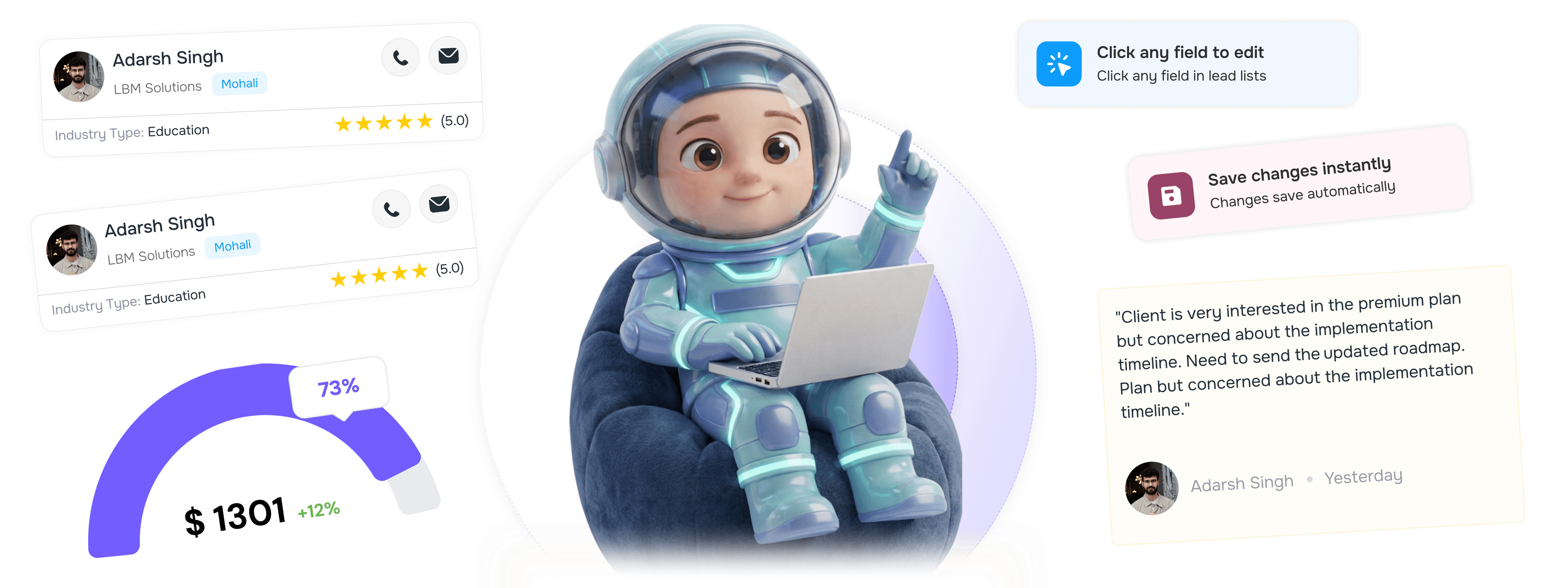
From field click to live collaboration in 4 steps
Click any field to edit in place, save instantly, sync live across users, then log every change.
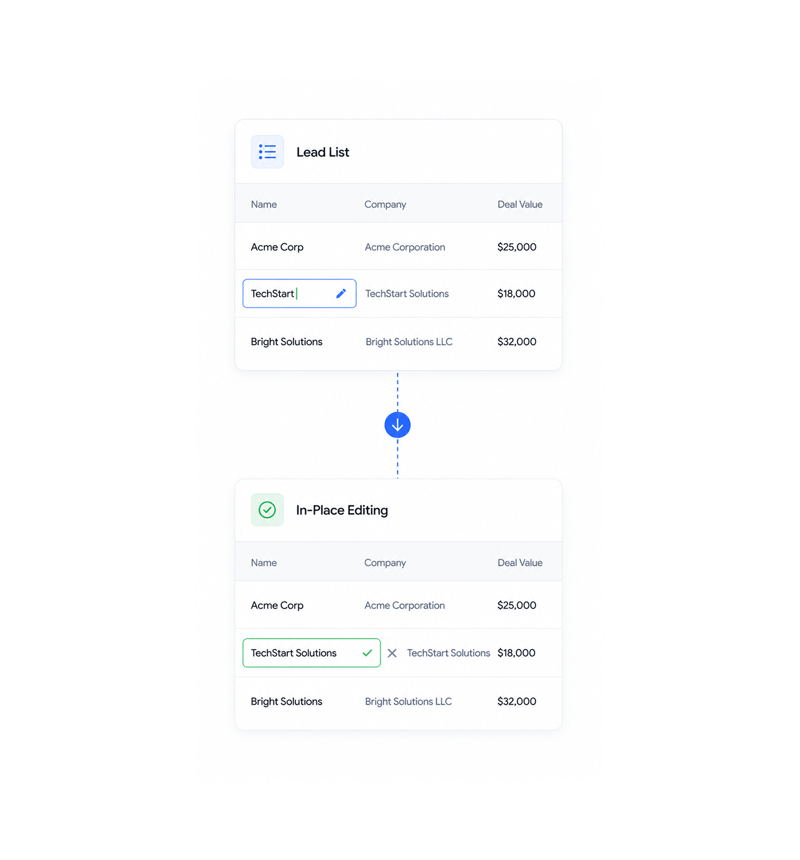
In Place Editing
Click any field to edit
Click any field in lead lists, pipeline view, or detail screens to edit directly in place without opening modals or separate forms. In-place editing keeps workflow continuity and cuts context switching.
- Click to Edit
- No Modals
- In Place
- Seamless
- Context Maintained
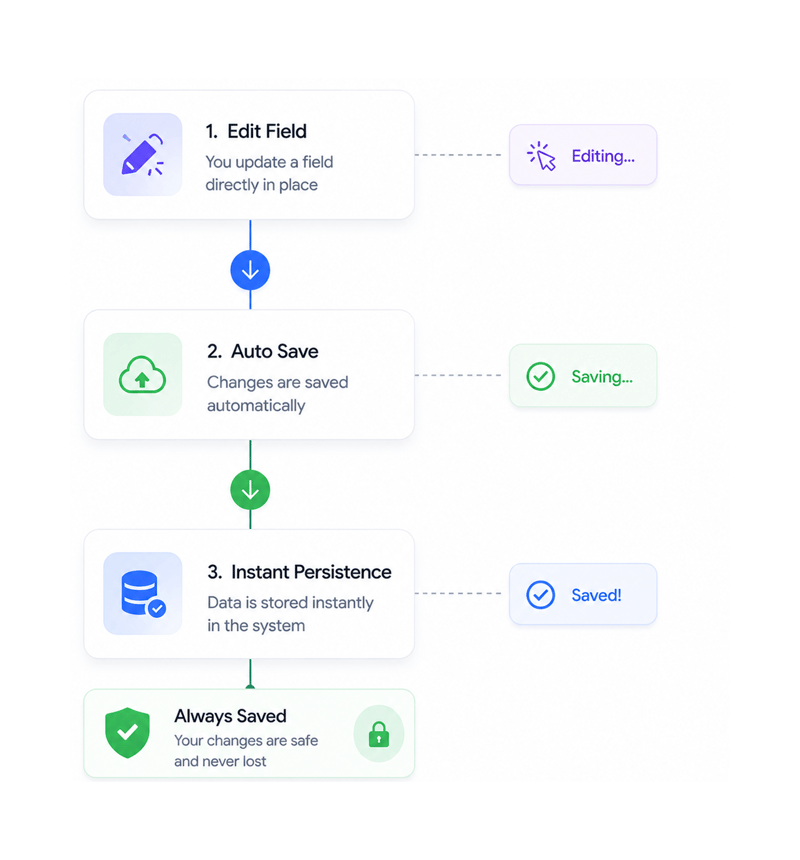
Automatic Persistence
Save changes instantly
Changes save automatically without page reload, manual save buttons, or confirmation dialogs. Instant persistence ensures data is never lost while maintaining natural editing flow that feels responsive and immediate.
- Automatic Save
- Instant Persistence
- No Reload
- Always Saved
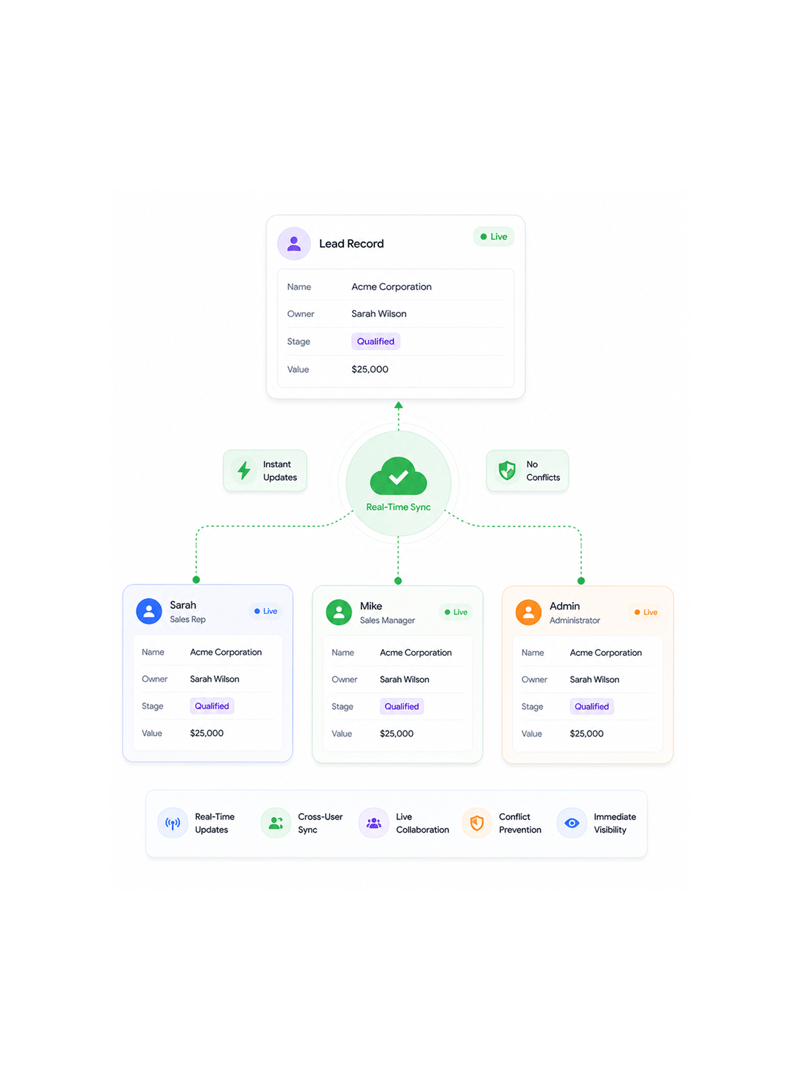
Real Time Collaboration
Sync live across users
Updates sync instantly across every user viewing the same data with real time collaboration that prevents conflicts and confusion. Live sync ensures everyone sees the latest changes immediately without refresh or delay.
- Real Time Updates
- Cross User Sync
- Live Collaboration
- Conflict Prevention
- Immediate Visibility
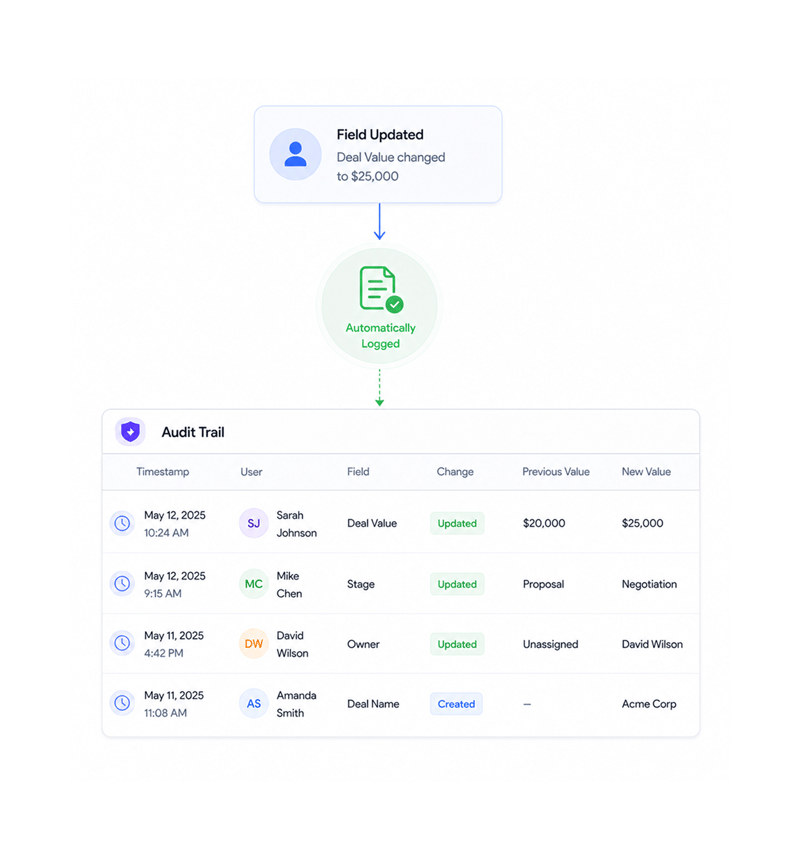
Automatic Logging
Log to audit trail
Every change automatically logs to the audit trail with timestamp, user, and field details for complete change tracking. Automatic audit logging ensures compliance and accountability without manual documentation overhead.
- Automatic Logging
- Complete History
- User Attribution
- Audit Trail
Six reasons teams never go back
Once teams experience inline editing with real-time sync, modal-based forms feel hopelessly slow and disruptive.

Modal Free Editing Experience
Edit any field directly in context without opening modals, popups, or separate interfaces, keeping workflow continuity and immediate access.

Instant Save Automation
Changes save automatically without manual save actions or page refresh through optimized persistence, ensuring integrity and seamless flow.

Live Cross User Synchronization
Updates propagate instantly to all connected users for real-time consistency and collaborative editing, preventing conflicts as teams work.

Contextual List Editing
Edit fields directly within lead lists, pipeline views, and overview screens without navigating to detail pages, keeping visual context.

Automatic Audit Trail Logging
Every inline edit generates automatic activity log entries for comprehensive change tracking and audit, providing accountability.

Workflow Continuity Preservation
Maintain uninterrupted workflow through in-place editing that preserves screen context and eliminates navigation overhead for productivity.
Modal Free Editing Experience
Edit any field directly in context without opening modals, popups, or separate interfaces, keeping workflow continuity and immediate access.
Instant Save Automation
Changes save automatically without manual save actions or page refresh through optimized persistence, ensuring integrity and seamless flow.
Live Cross User Synchronization
Updates propagate instantly to all connected users for real-time consistency and collaborative editing, preventing conflicts as teams work.
Contextual List Editing
Edit fields directly within lead lists, pipeline views, and overview screens without navigating to detail pages, keeping visual context.
Automatic Audit Trail Logging
Every inline edit generates automatic activity log entries for comprehensive change tracking and audit, providing accountability.
Workflow Continuity Preservation
Maintain uninterrupted workflow through in-place editing that preserves screen context and eliminates navigation overhead for productivity.




950+
collaborative teams
Built for every team that needs seamless collaboration
Sales teams, ops managers, and admins all use LIO's inline editing as the shared productivity layer for real-time work. The click is activation, the edit is action, the sync makes it collaborative.
Modals or page reloads required
Fields editable inline
Real time sync across users
Audit trail logging
Editing drives workflow efficiency
Sales teams click any field to edit in place with instant save and live sync across lead lists, pipeline views, and detail screens, eliminating modal interruptions for everyone.
Built for comprehensive inline collaboration
Everything for inline editing: click-to-edit, instant save, live sync, and audit logging.

Real Time Synchronization Engine
SSE and Ably pub/sub ensure instant propagation of inline edits across all connected clients, maintaining consistency at scale.

Optimized Persistence Layer
Automated data persistence with optimized update handling ensures instant saves without manual intervention or reloads.

Comprehensive Activity Integration
Every inline edit generates detailed activity log entries with user attribution and timestamps for audit trails and compliance.

Performance Optimized Field Rendering
Efficient field rendering handles large datasets while keeping inline editing responsive across lists, pipelines, and detail views.

Cross Module Editing Coordination
Unified editing across leads, companies, contacts, and deals with consistent inline functionality and coordinated relationships.

Data Validation and Error Handling
Built-in validation with intelligent error handling ensures data quality during inline editing while giving clear user feedback.
Everything you need to know
Get answers to common questions about LIO's Inline Editing feature.
Lio captures, scores, and follows up on every lead the moment it lands.
Win on speed with AI that routes and qualifies leads in real time, so your team always works the deals most likely to close.
- 3.2x
- faster lead response
- 94%
- lead capture rate
- 0
- leads missed
- 40%
- higher close rate