





Every finding becomes a ticket.
Pre filled with everything to fix it.
Every finding gets one Generate ticket button wiring it into Linear, Jira, Asana, ClickUp, Notion, or Trello, pre filled and ready.
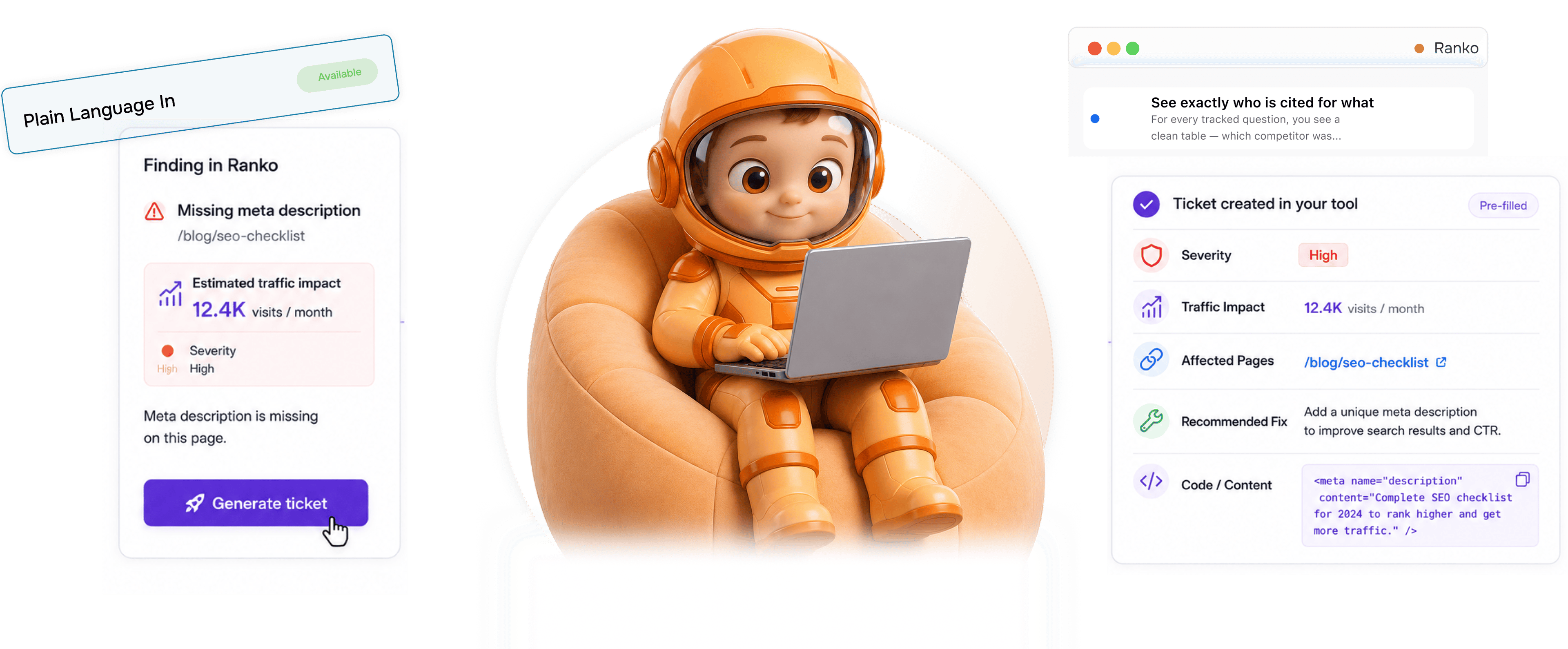
From Ranko finding to shipping fix in 4 steps
Every finding gets a Generate ticket button. One click sends it to your tracker, pre filled with the fix.
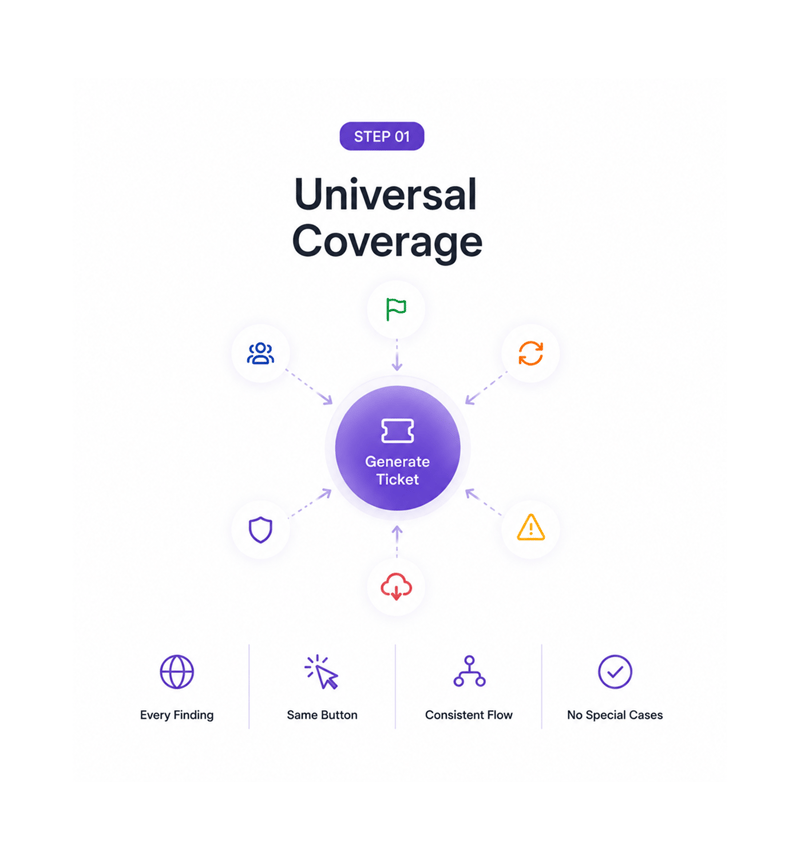
Universal Coverage
Every finding has a Generate ticket button
A Site Inspector flag, a Page Refresher issue, a Mention Simulator competitor loss, an Originality Check failure, an Opportunity Score warning, every finding across Ranko has the same button. One button, one consistent flow, every kind of finding.
- Every Finding
- Same Button
- Consistent Flow
- No Special Cases
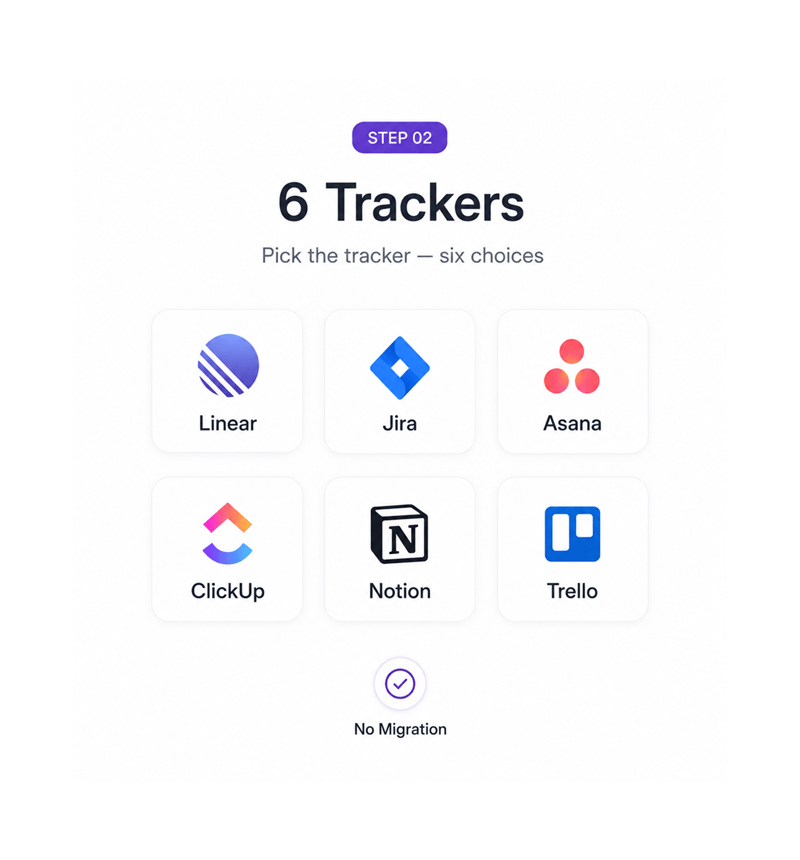
Trackers
Pick the tracker six choices
Linear for fast engineering, Jira for sprints, Asana for cross functional work, ClickUp for one workspace teams, Notion for docs, Trello for boards. The team picks what they run, the ticket lands in the right spot.
- Linear · Jira
- Asana · ClickUp
- Notion · Trello
- No Migration
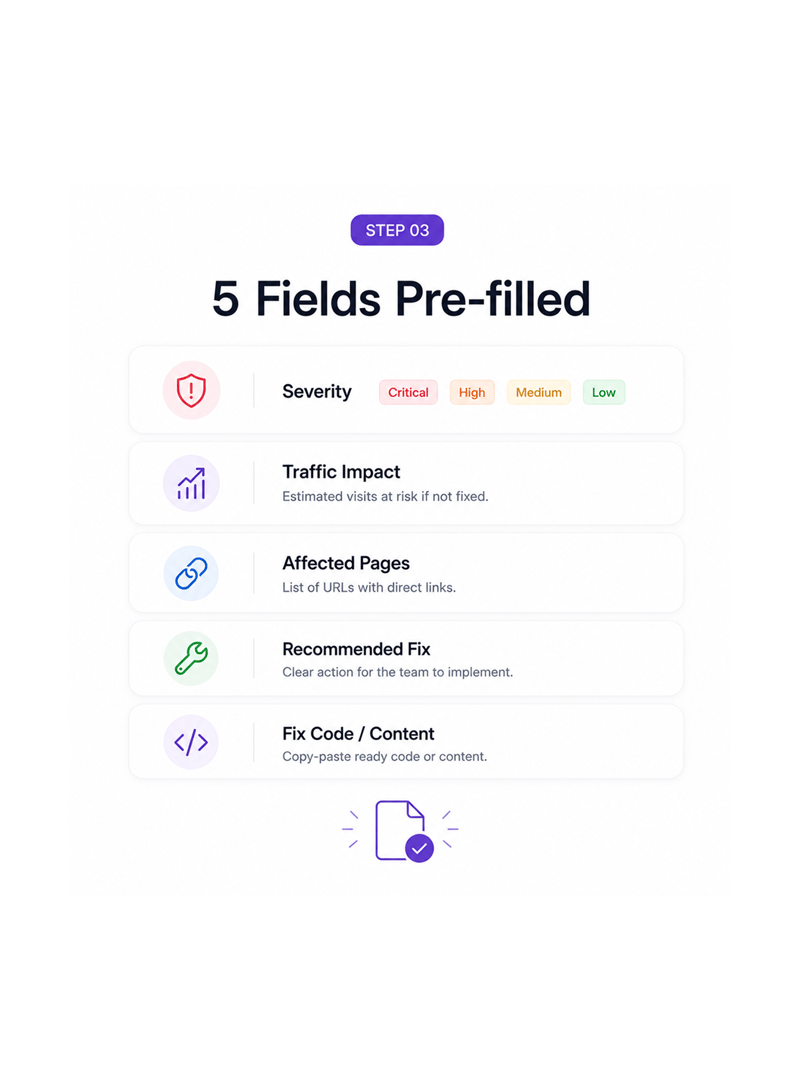
Fields Pre filled
Five fields land pre filled in the ticket
Severity tells the prioritiser how urgent the work is. Expected traffic impact estimates what is at risk if ignored. Affected pages lists the URLs. Recommended fix gives the exact change, plus pasteable code.
- Severity
- Traffic Impact
- Affected Pages
- Fix · Code
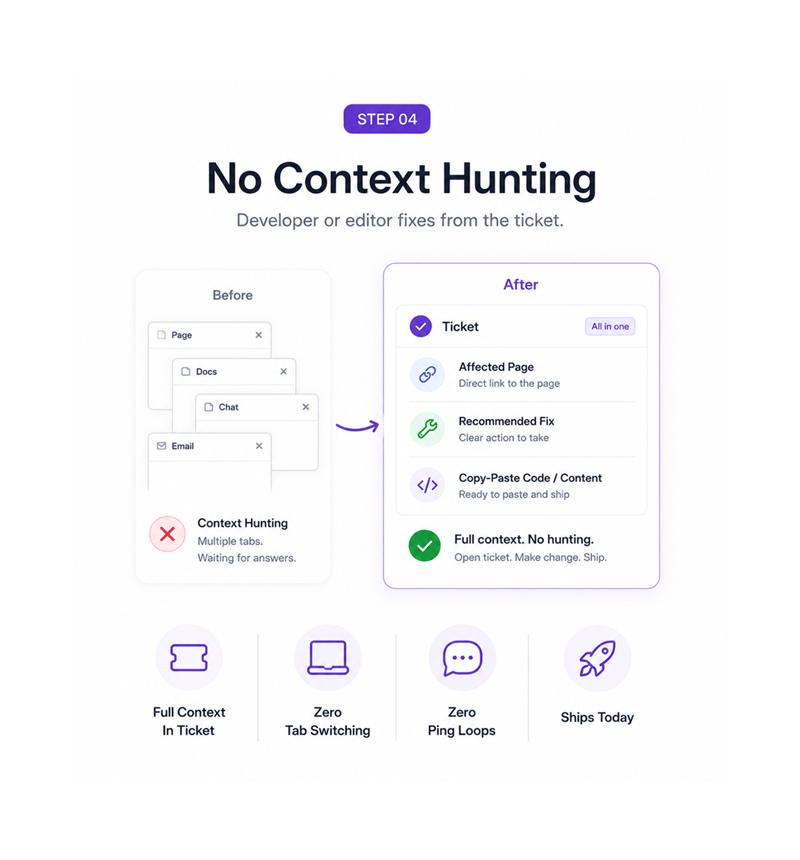
No Context Hunting
Developer or editor fixes from the ticket
The developer who picks up a technical ticket finds the affected page, the fix, and the code to paste. The editor who picks up a content ticket finds the page, the fix, and the copy. Context lives in the ticket.
- Full Context In Ticket
- Zero Tab Switching
- Zero Ping Loops
- Ships Today
Six reasons fixes actually ship
Once a team turns every finding into a tracker ready ticket in one click, findings piling up unseen stops being acceptable.

Every finding, not just the critical ones
Most tools only generate tickets for obvious problems and let smaller findings pile up unseen. Ranko puts Generate ticket next to every finding.

Six trackers, no relay race between tools
Linear, Jira, Asana, ClickUp, Notion, and Trello cover the trackers most teams run. The ticket lands in the one the team uses, no manual translation.

Severity and traffic impact tell prioritisers what to push
A ticket without severity is one the team argues about in planning. A ticket with severity and a calculated traffic impact gives an immediate answer.

Affected pages save the team a half hour of audit work
A finding that says schema issue forces half an hour finding which pages are affected. A Ranko ticket arrives with the URLs listed and linked.

Recommended fix means no what does this even mean
Tickets that describe the problem without a solution force debate before shipping. Ranko tickets include a fix written for the team executing it.

Copy pasteable code means the fix actually ships today
The gap between knowing what to fix and the fix being live is where most work dies. Ranko closes it with the exact code or content ready to paste.
Every finding, not just the critical ones
Most tools only generate tickets for obvious problems and let smaller findings pile up unseen. Ranko puts Generate ticket next to every finding.
Six trackers, no relay race between tools
Linear, Jira, Asana, ClickUp, Notion, and Trello cover the trackers most teams run. The ticket lands in the one the team uses, no manual translation.
Severity and traffic impact tell prioritisers what to push
A ticket without severity is one the team argues about in planning. A ticket with severity and a calculated traffic impact gives an immediate answer.
Affected pages save the team a half hour of audit work
A finding that says schema issue forces half an hour finding which pages are affected. A Ranko ticket arrives with the URLs listed and linked.
Recommended fix means no what does this even mean
Tickets that describe the problem without a solution force debate before shipping. Ranko tickets include a fix written for the team executing it.
Copy pasteable code means the fix actually ships today
The gap between knowing what to fix and the fix being live is where most work dies. Ranko closes it with the exact code or content ready to paste.




16100+
Teams shipping fixes today, not next quarter
Built for teams whose developers and editors should be fixing, not investigating
Founders, marketers, engineering managers, editors, agencies, and ops teams use Ranko's One Click Fix Tickets to turn findings into ready tickets with severity, traffic impact, code, and routing.
Trackers Wired
Fields Pre filled
Click Generate
Translation
Linear, Jira, Asana, ClickUp, Notion, Trello
Six trackers cover the tools most teams run. The ticket lands in whichever the team picked: Linear, Jira, Asana, ClickUp, Notion, or Trello.
Everything the ticket layer ships with
A complete ticket generation and routing toolkit in the same AEO platform you use, closing the gap from finding to fix.

Universal Generate Ticket Button
Every finding across Ranko has the same button: Site Inspector flags, Page Refresher issues, Mention Simulator losses.

Six Tracker Wiring
Linear, Jira, Asana, ClickUp, Notion, and Trello cover the tools most teams run. The ticket lands in the right project, no migration.

Severity Pre Filled
Every ticket arrives with severity set, critical, high, medium, or low, based on the finding type. Prioritisation is settled.

Expected Traffic Impact
Every ticket includes an estimated traffic impact from current performance and Search Console data. Teams see what is at risk.

Affected Pages Linked
Every ticket lists the URLs the issue touches with direct links, so the developer or editor jumps straight to the work.

Recommended Fix With Copy Paste Code
Each ticket includes a fix written for the team executing it, technical for developers and editorial for content.
Everything you need to know
Common questions on ticket contents, tracker routing, severity, impact, code, and templates.
Ranko writes content that ranks and gets cited.
Publish AI-written, search-optimized articles that win on Google today and get cited by AI engines tomorrow.
- 10x
- faster content production
- 3.4x
- more organic traffic
- 0
- ranking opportunities missed
- 87%
- of articles rank in 90 days