





Public links. No logins.
Signatures captured at scale.
Embeddable signing forms that need no login. Signers use a public URL, fill custom fields, and sign in your dashboard.
From form build to signed submissions in 4 steps
Build the form with custom fields, embed or share the public URL, signers sign without an account, submissions tracked.
Form Build
Build the form with custom fields
Configure the form with the exact fields the team needs: name, email, address, custom data points, signature, consent checkboxes. Each field can be required or optional, so one submission captures everything without chasing follow ups.
- Custom Fields
- Required Or Optional
- One Submission
- No Follow Ups
Embed Or Share
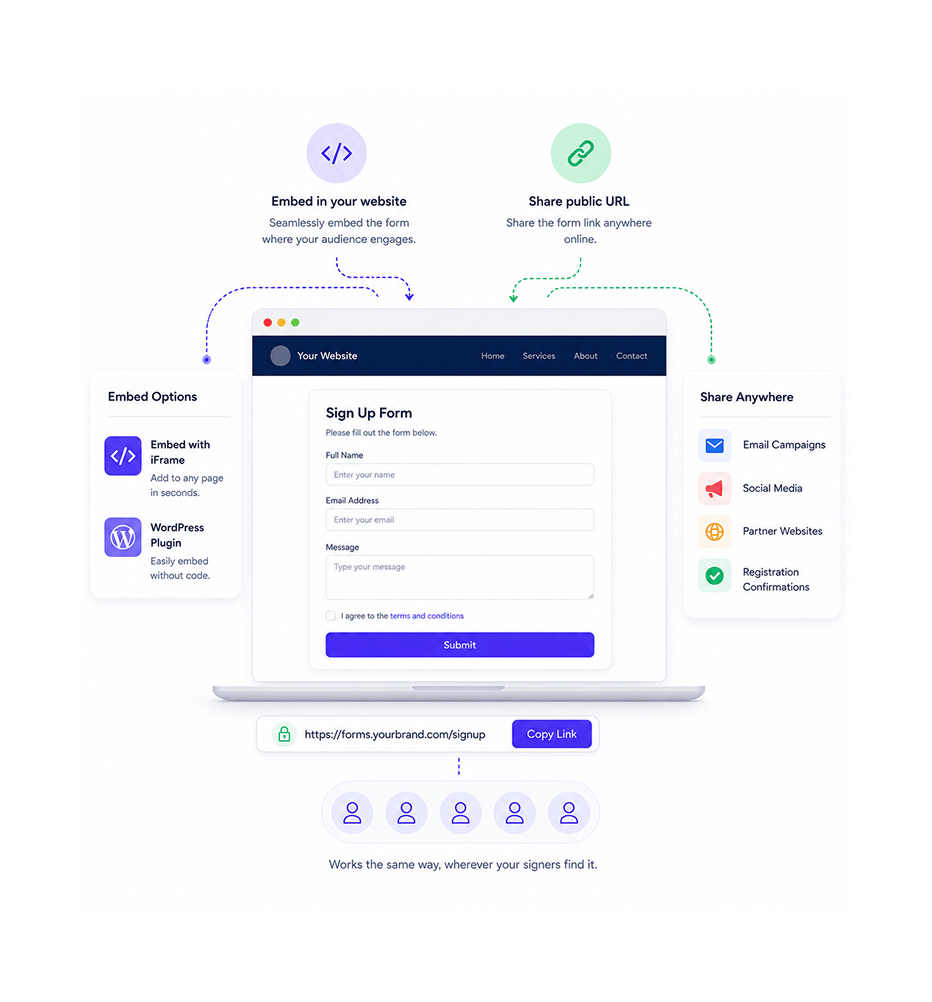
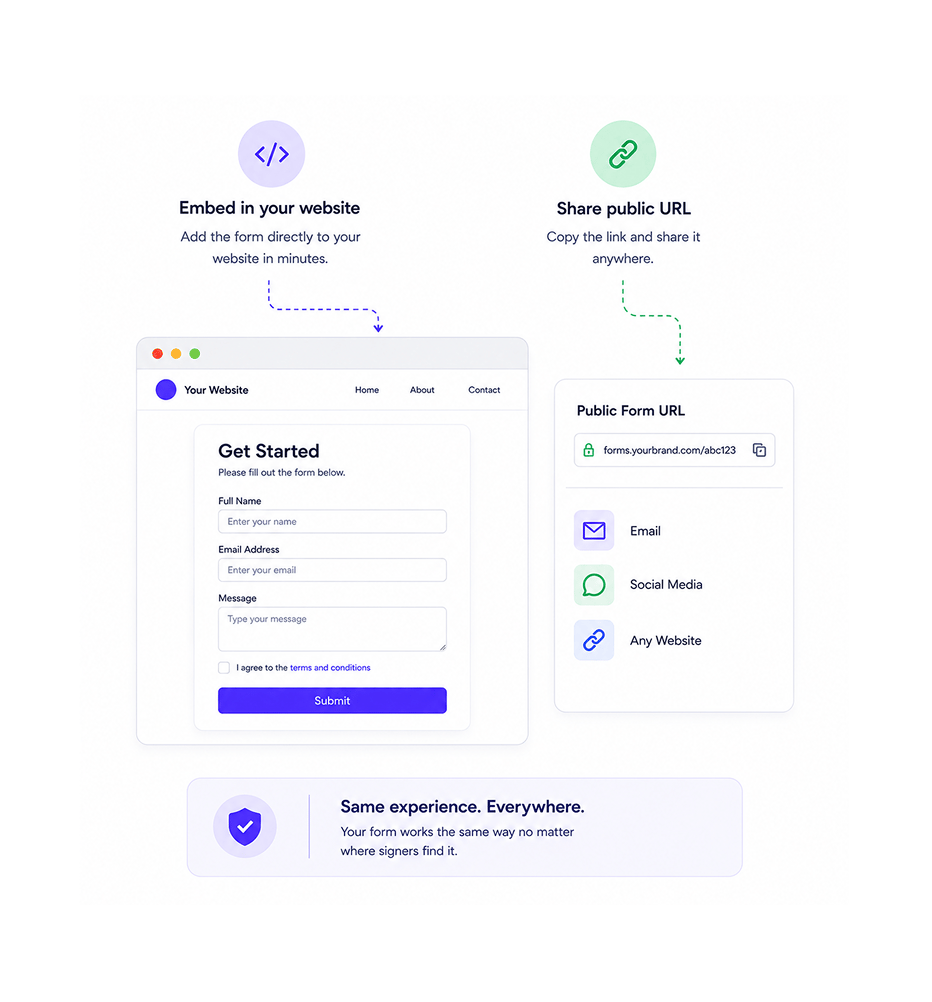
Embed in your website or share public URL
Embed the form in the team's website where signers find it naturally, or share the public URL anywhere a link can be sent: email campaigns, social posts, partner sites, registration confirmations. It works the same everywhere.
- Website Embed
- Public URL
- Share Anywhere
- Consistent Experience
No Login Required
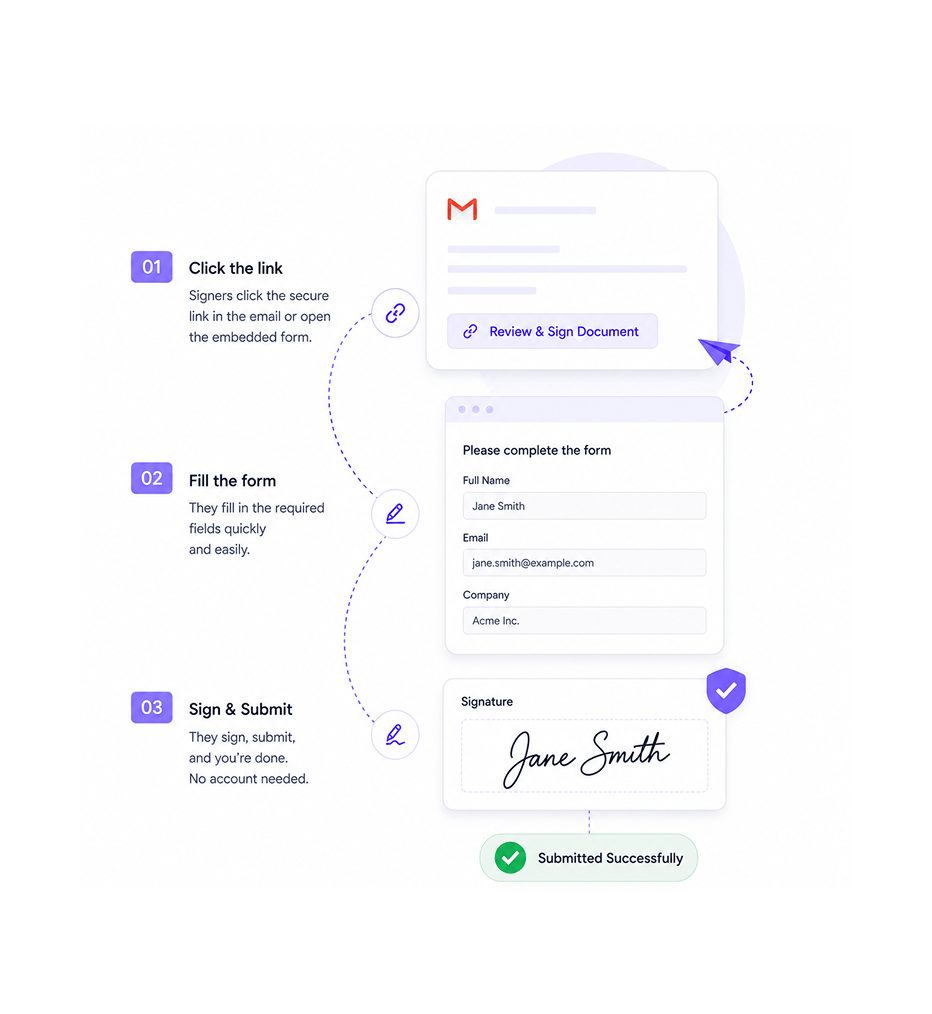
Signers access, fill, and sign without account creation
Signers click the link or scroll to the embedded form, fill the fields, sign, and submit. No account, no login wall, no password resets. The friction that kills high volume capture disappears, so signers finish instead of abandoning.
- No Account
- No Login
- No Password Reset
- Zero Friction
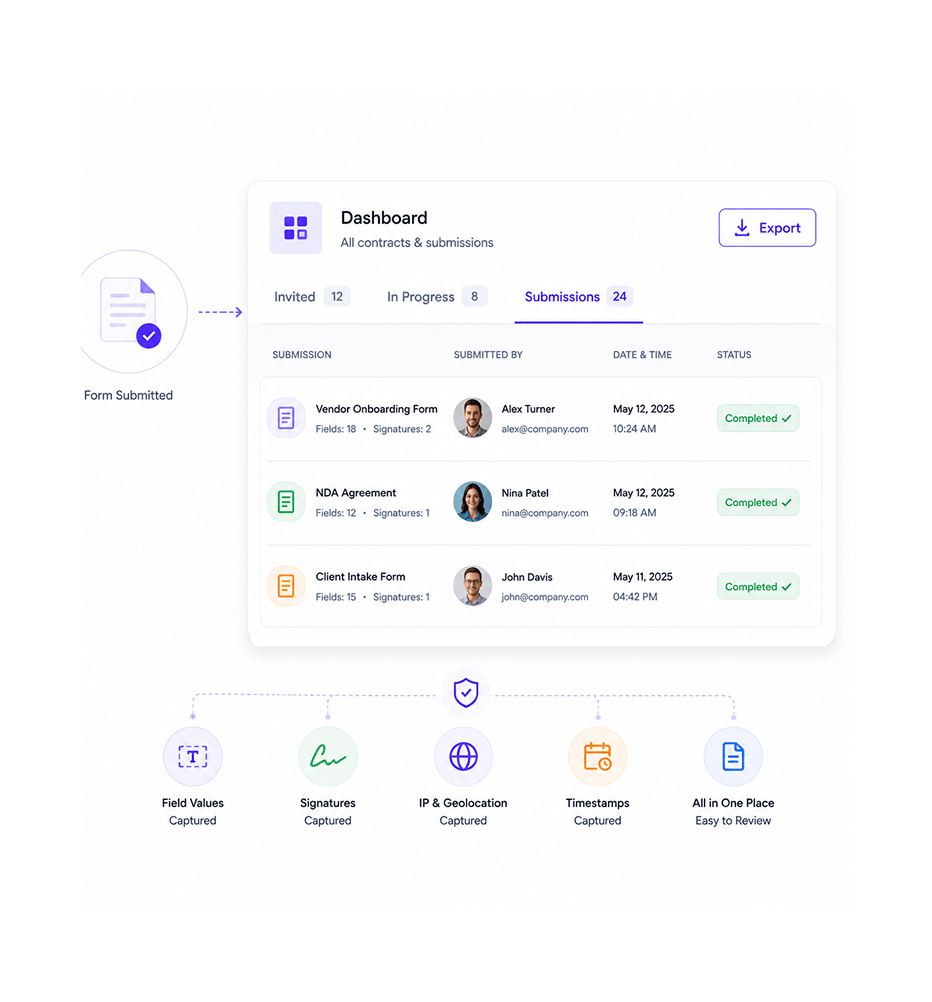
Dashboard Tracking
Submissions land in the dashboard
Every submission lands in the same dashboard as the team's invited contracts. Field values, signatures, IP and geolocation, and timestamps are all captured automatically. Review, export, and follow up all from one place.
- Same Dashboard
- All Data Captured
- Export Available
- Unified Tracking
Six reasons high volume signing actually works
No login required, embeddable anywhere, custom fields, dashboard tracking. The signing pattern for cases one by one invitations cannot serve.

No login removes the biggest friction
Account creation is the biggest cause of abandoned forms in high volume capture. Removing the login requirement lets signers finish in the moment.

Public URL works anywhere a link can be shared
Email campaigns, social posts, partner sites, QR codes on event signage. The public URL works in every channel. One link covers every method.

Embeddable forms live on the team's own website
Sending signers to a separate tool feels disjointed. Embedding the form in the team's website keeps them in context, improving trust and completion.

Custom fields capture exactly the data needed
Forms capturing too little force follow ups; too much overwhelms. Custom fields per form set exactly the inputs needed, so data is complete.

Submissions track in the same dashboard
Capture in one tool and invited signing in another means two systems. Public form submissions land in the same dashboard, all in one place.

Perfect for cases other workflows can't serve
Inviting signers one by one works at low volume but breaks at scale. Onboarding waves, event drives, and consent campaigns need public sign forms.
No login removes the biggest friction
Account creation is the biggest cause of abandoned forms in high volume capture. Removing the login requirement lets signers finish in the moment.
Public URL works anywhere a link can be shared
Email campaigns, social posts, partner sites, QR codes on event signage. The public URL works in every channel. One link covers every method.
Embeddable forms live on the team's own website
Sending signers to a separate tool feels disjointed. Embedding the form in the team's website keeps them in context, improving trust and completion.
Custom fields capture exactly the data needed
Forms capturing too little force follow ups; too much overwhelms. Custom fields per form set exactly the inputs needed, so data is complete.
Submissions track in the same dashboard
Capture in one tool and invited signing in another means two systems. Public form submissions land in the same dashboard, all in one place.
Perfect for cases other workflows can't serve
Inviting signers one by one works at low volume but breaks at scale. Onboarding waves, event drives, and consent campaigns need public sign forms.




9400+
Teams capturing signatures at scale without the login friction
Built for teams whose signing volume can't be served by one by one invitations
Sales ops running high volume onboarding where invites don't scale. Event teams capturing waivers and registrations. Marketing teams collecting consent at scale. Agencies onboarding clients in waves.
Required
Link
Available
Tracked
Public URL, embeddable, no login required
Embed forms in the team's website or share the public URL anywhere. Signers access with no account, login wall, or password resets. Zero friction means they finish in the moment rather than dropping off.
Everything the public form layer ships with
Public URL access, embeddable anywhere, no login, custom fields per form, submission tracking, onboarding templates.

Public URL Access
Every form gets a public URL that works anywhere a link is shared: email campaigns, social posts, partner sites, QR codes. One URL handles every channel.

Embeddable in Any Website
Embed forms in the team's website to keep signers in context. The form renders natively in your branding, so trust improves.

No Login Required
Signers complete forms with no account, login wall, or password resets. The biggest cause of abandoned forms is gone.

Custom Fields Per Form
Configure each form with the exact fields: name, email, custom data, signature, checkboxes. Required flags keep data complete.

Submission Dashboard Tracking
Every submission lands in the dashboard with invited contracts. Field values, signatures, IP, geolocation, and timestamps captured.

Onboarding and Consent Templates
Pre built templates for common needs: client onboarding, consent collection, event registration, waivers. Start and customise.
Everything you need to know
Questions on public versus invited signing, embedding, custom fields, and tracking.
Sigi drafts, sends, and gets it signed without the chasing.
Turn a contract into a signed, audited document in minutes while AI flags risky clauses before they reach your signer.
- 5 min
- average time to signed
- 0
- risky clauses missed
- 100%
- documents with audit trail
- 6
- signing workflows supported