





Every signer managed.
Every identity captured.
Add signers with name and email, set custom messages, track three roles, and resend invitations. IP and geolocation are captured per signer.
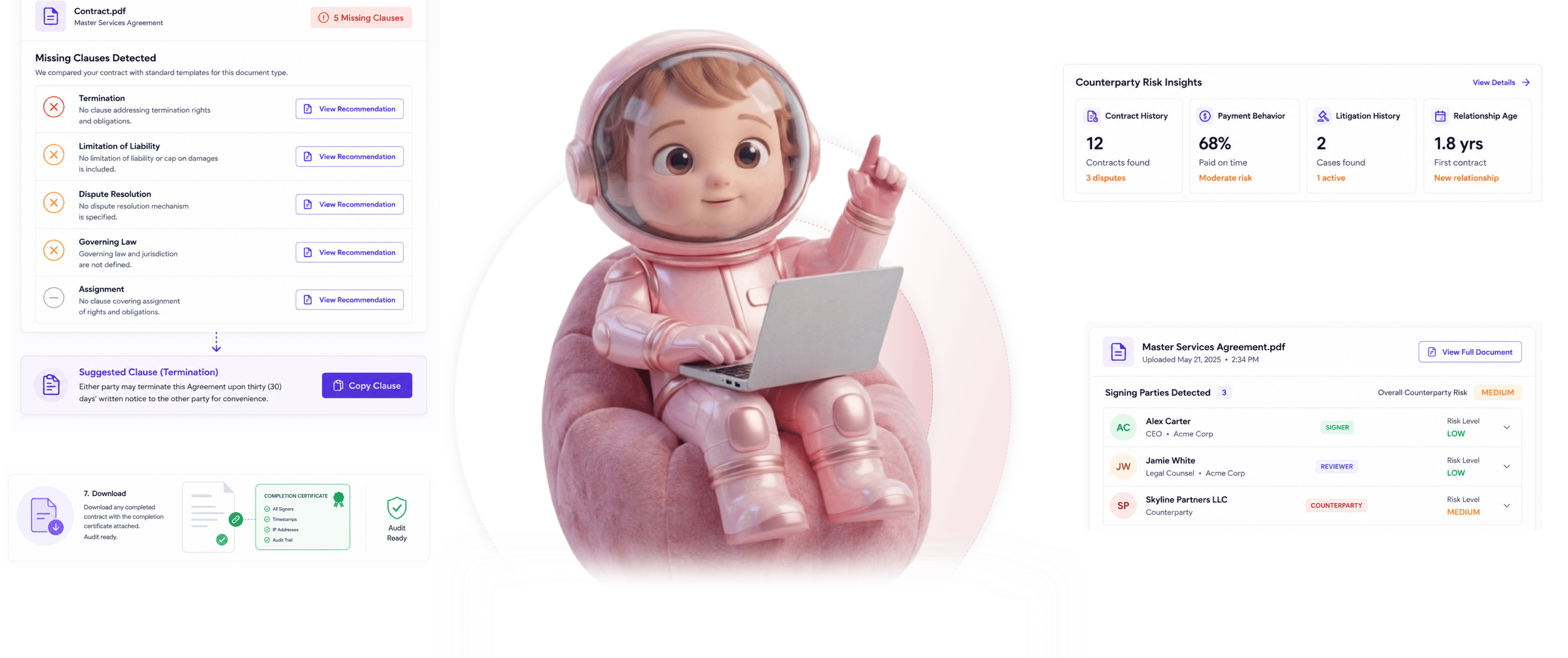
From signer add to identity proof in 4 steps
Add signers by name and email, assign role and message, track status, resend, capture IP and location.
Signer Add
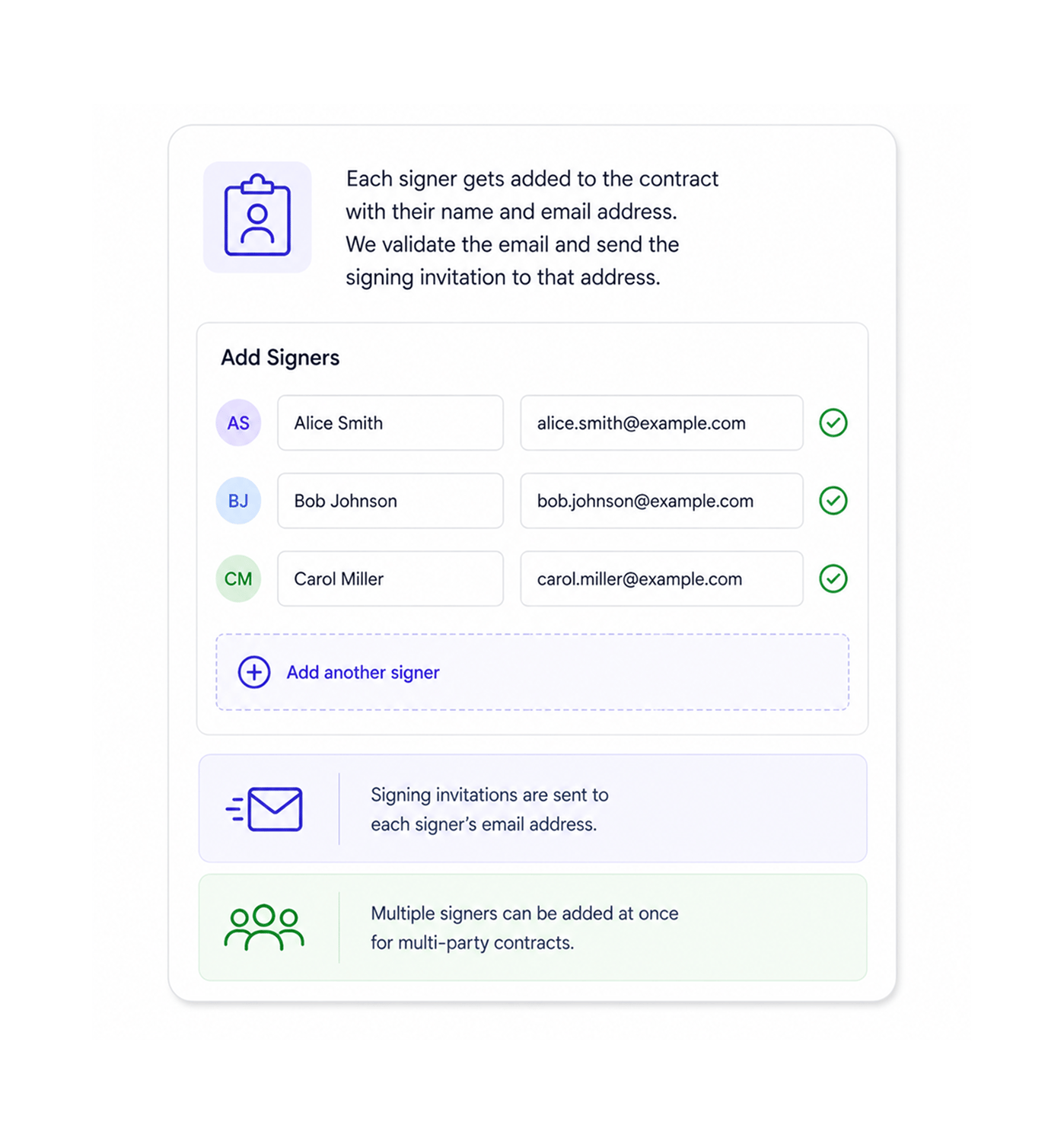
Add signers with name and email
Each signer is added with their name and email. The platform validates the format and sends the signing invitation to that address. Multiple signers can be added at once, each captured separately.
- Name And Email
- Email Validated
- Multiple Signers
- Clean Identification
Role And Message
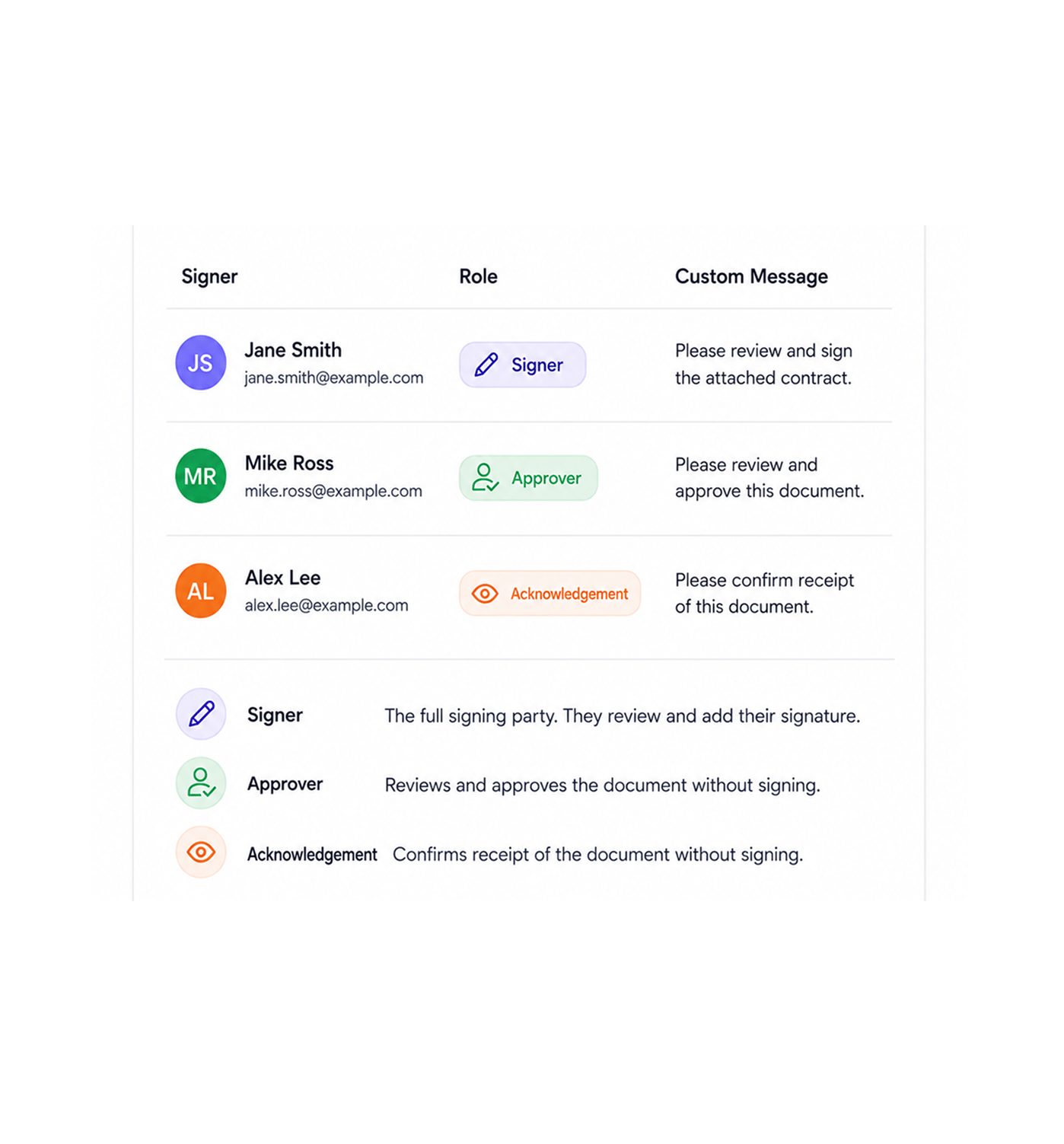
Assign role and custom message per signer
Each signer gets a role and a custom message. Three roles cover real needs: signer for the signing party, approver for someone who approves without signing, acknowledgement for someone confirming receipt. Custom messages set context per signer.
- Signer · Approver
- Acknowledgement
- Custom Messages
- Per Signer Context
Track And Resend
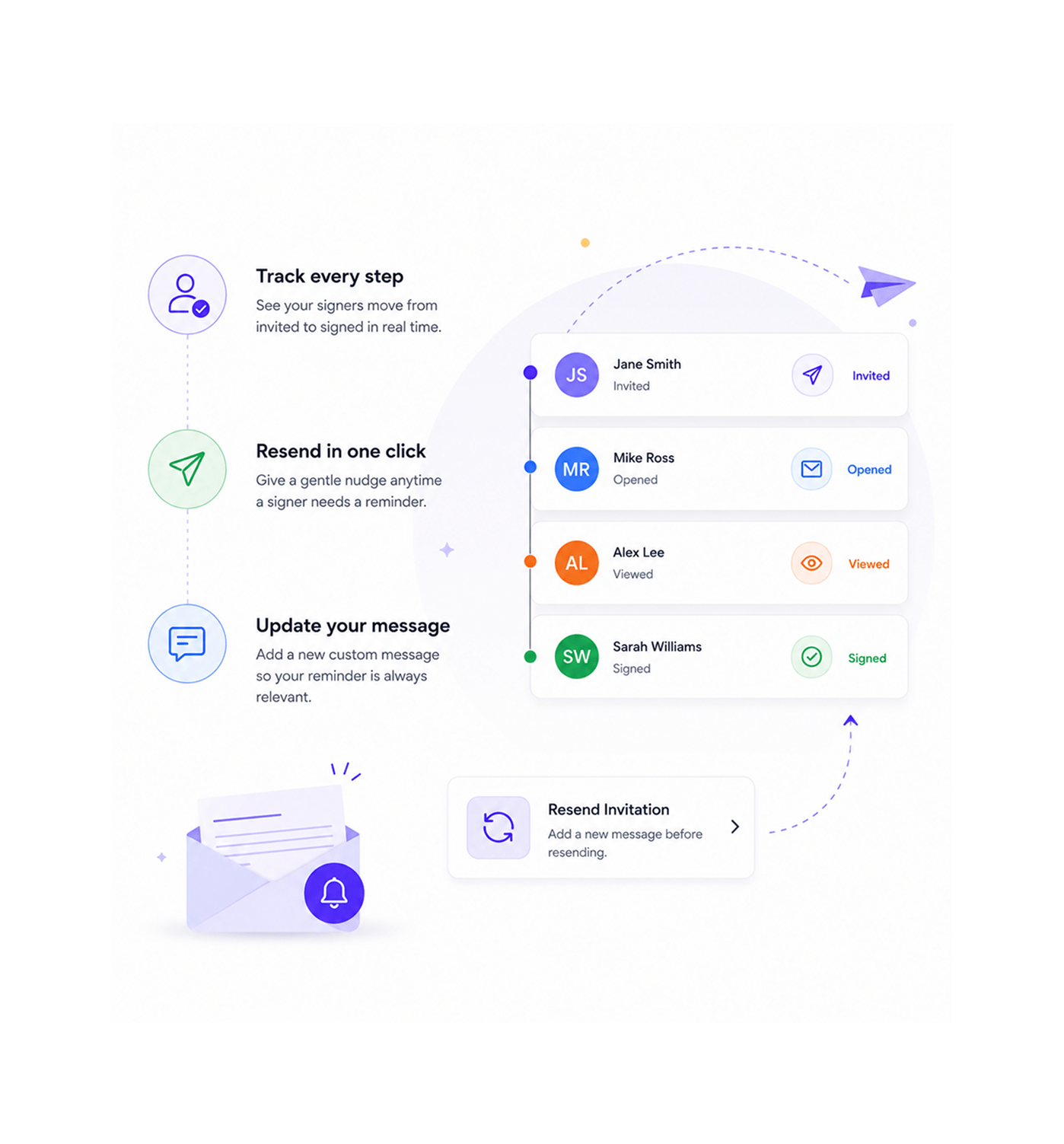
Track signing status and resend invitations
Each signer's status shows from invited through opened, viewed, and signed. When a signer needs a push, resend the invitation in one click. Resends can include updated messages, so context adjusts.
- Status Visible
- Resend One Click
- Updated Messages
- Per Signer Tracking
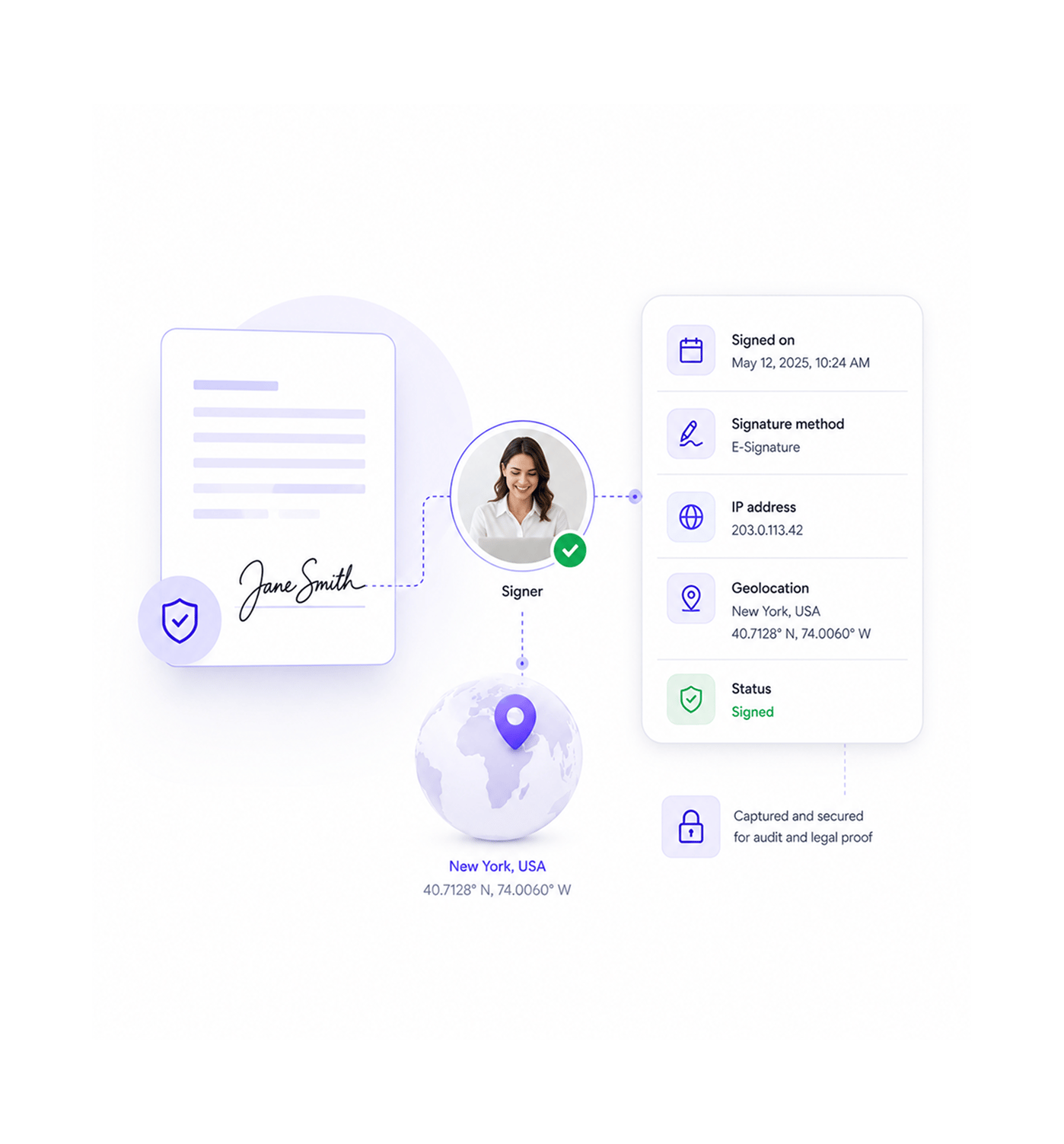
Identity Capture
IP and geolocation captured per signer
When each signer signs, the platform captures their IP address and geolocation alongside the signature, attached to their audit record. With the timestamp and method, this creates legal proof of identity.
- IP Address
- Geolocation
- Legal Proof
- Audit Ready
Six reasons recipient management actually proves identity
Three signer roles, custom messages, resend, IP and geolocation capture, per signer audit trail.

Three signer roles fit real organisational structures
Not everyone needs to sign. Approvers approve without signing. Acknowledgement recipients confirm receipt. Three roles match how organisations work.

Custom messages set context for each signer
A generic "please sign" tells the signer nothing. Custom messages let the sender add context per signer: one for counsel, another for the client.

Resend invitations keep stalled signers moving
A signer who never opened the invitation may have missed it or hit spam. Resending with an updated message unsticks them, keeping the flow moving.

IP and geolocation create legal proof of identity
Email plus signature isn't enough to prove who signed. IP address and geolocation captured at signing create the identity layer audits require.

Per signer audit trail captures everything
Each signer's complete history attaches to their record: invited, opened, signed, IP, geolocation, method. Reviewing a signer is one record.

Works across every Sigi signing workflow
Recipient management works the same whether the document uses sequential, parallel, or approval Signing Workflows. The same roles and capture apply.
Three signer roles fit real organisational structures
Not everyone needs to sign. Approvers approve without signing. Acknowledgement recipients confirm receipt. Three roles match how organisations work.
Custom messages set context for each signer
A generic "please sign" tells the signer nothing. Custom messages let the sender add context per signer: one for counsel, another for the client.
Resend invitations keep stalled signers moving
A signer who never opened the invitation may have missed it or hit spam. Resending with an updated message unsticks them, keeping the flow moving.
IP and geolocation create legal proof of identity
Email plus signature isn't enough to prove who signed. IP address and geolocation captured at signing create the identity layer audits require.
Per signer audit trail captures everything
Each signer's complete history attaches to their record: invited, opened, signed, IP, geolocation, method. Reviewing a signer is one record.
Works across every Sigi signing workflow
Recipient management works the same whether the document uses sequential, parallel, or approval Signing Workflows. The same roles and capture apply.




11200+
Teams with audit grade identity proof on every signature
Built for teams who need real proof of who signed and from where
Legal ops teams needing audit grade identity proof on every contract. Compliance teams needing per signer trails with IP and geolocation. Sales ops with high signer volumes. HR teams managing offers.
Roles Supported
Per Signer
Captured
Available
Add signers, set roles, custom messages
Add signers by name and email. Assign one of three roles (signer, approver, acknowledgement) to match real responsibility. Custom messages per signer set context for each recipient. Resend invitations when needed.
Everything the recipient layer ships with
Add by name and email, three roles, custom messages, resend, IP and geolocation, per signer trail.

Signer Add With Name and Email
Add signers to any contract by name and email, with format validated. Multiple signers can be added at once.

Three Signer Roles
Three roles match responsibility. Signer for the signing party. Approver for who approves. Acknowledgement for confirming receipt.

Custom Messages Per Signer
Each signer can receive a custom message setting context for what they are asked to do, replacing generic invitations.

Resend Invitations
Resend invitations to signers who didn't open the original or need a push. The resend can include an updated message.

IP and Geolocation Capture
Every signer's IP address and geolocation are captured at signing. With timestamp and method, they create legal proof of identity.

Per Signer Audit Trail
Each signer's complete history lives in their record: sent, opened, signed, IP, geolocation, method. Reviewing one is a lookup.
Everything you need to know
Common questions about adding signers, the three roles, custom messages, resending, and identity capture.
Sigi drafts, sends, and gets it signed without the chasing.
Turn a contract into a signed, audited document in minutes while AI flags risky clauses before they reach your signer.
- 5 min
- average time to signed
- 0
- risky clauses missed
- 100%
- documents with audit trail
- 6
- signing workflows supported