





Seven node types every
workflow you need
Seven node types cover every workflow shape, each with a guided panel, validation, mapping, and a real data test.
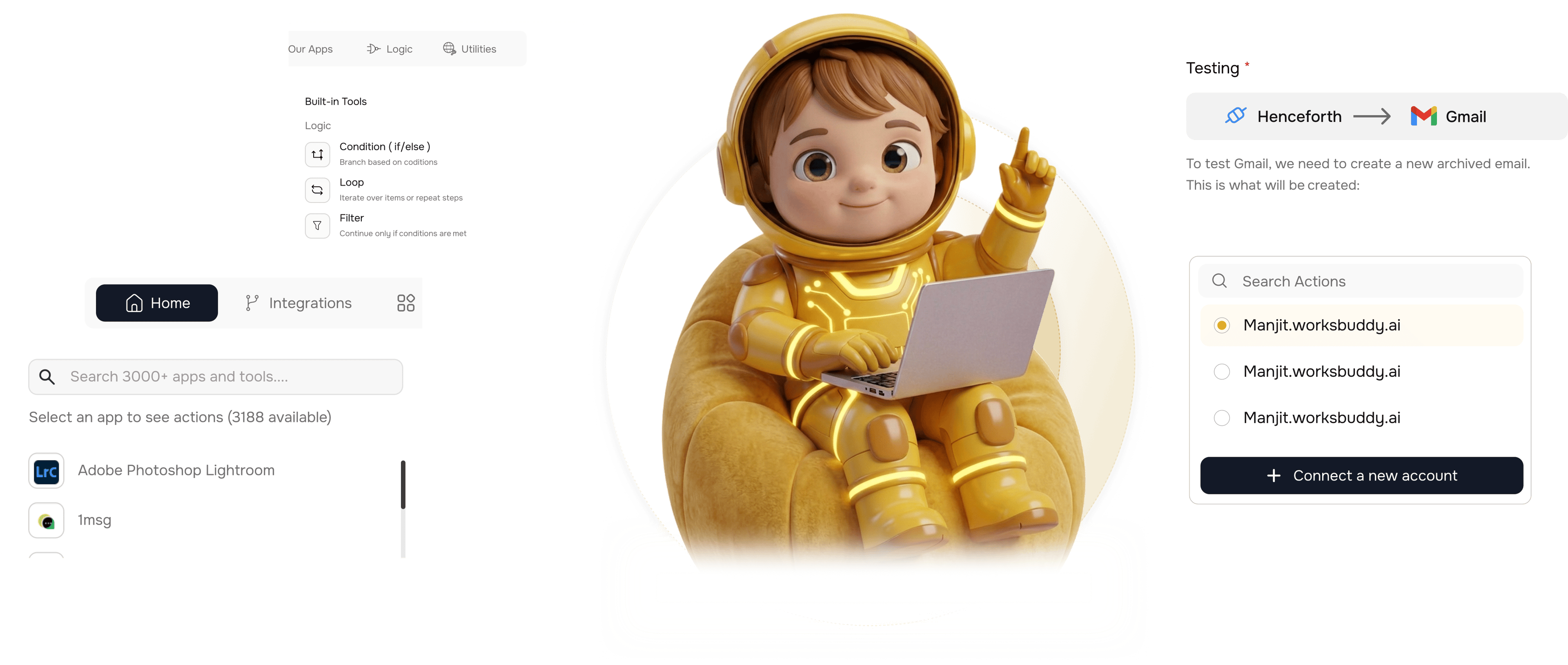
From picking a node to a tested step in 4 steps
Pick the node, follow the guided panel, map data, test, save. Every node works the same way.
Pick a Node
Pick a node type
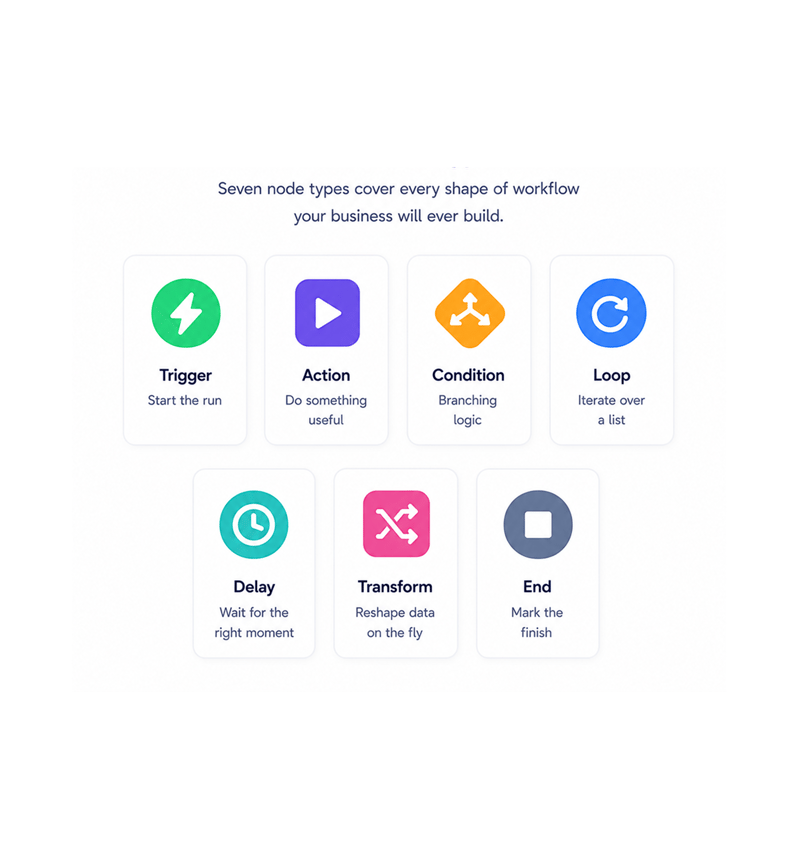
Seven node types cover every workflow shape. Trigger starts the run, Action does the work, Condition branches, Loop iterates, Delay waits, Transform reshapes, End finishes. Browse the library, drop the one you need, configure.
- Trigger
- Action
- Condition
- Loop
- Delay
- Transform
- End
Guided Configuration
Configure with guidance
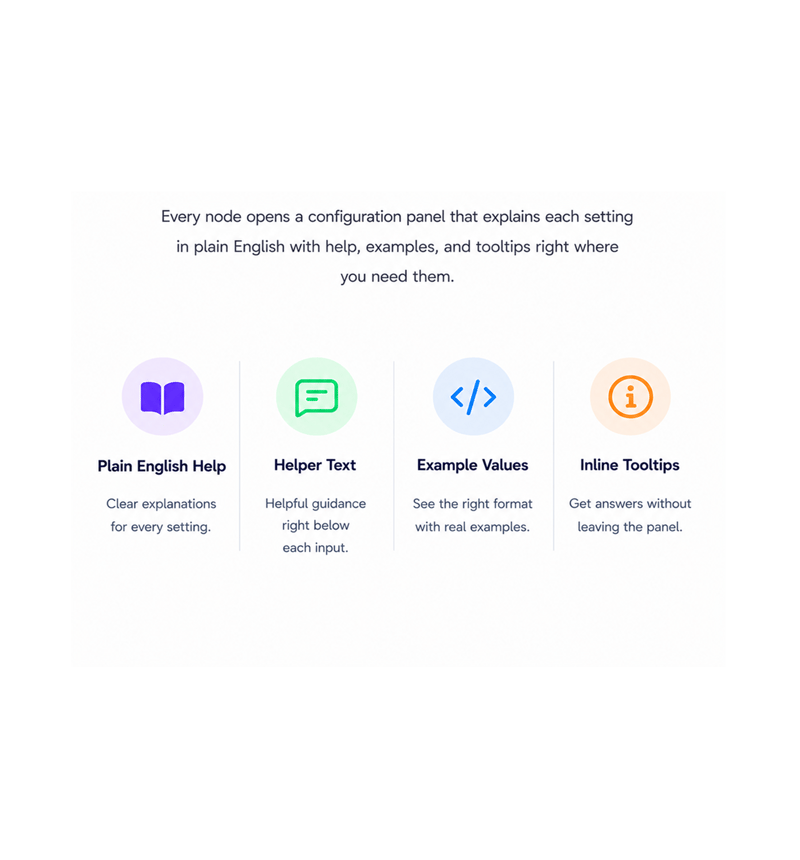
Every node opens a panel that walks you through each field in plain English: what the setting does, what format it takes, what happens if left empty. Tooltips and examples sit beside the inputs.
- Plain English Help
- Helper Text
- Example Values
- Inline Tooltips
Field Mapping
Map data between steps
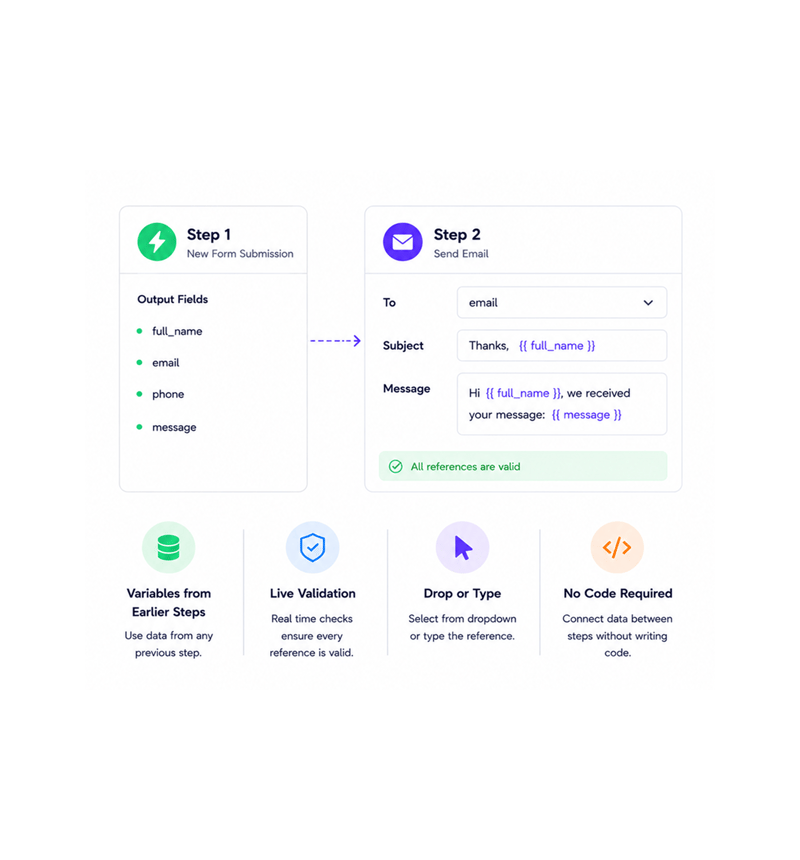
Every value from an earlier step is a field you can drop into the current node. Pick a variable from the dropdown or type the reference. Data flows step to step with no code, and validation checks each one.
- Variables from Earlier Steps
- Live Validation
- Drop or Type
- No Code Required
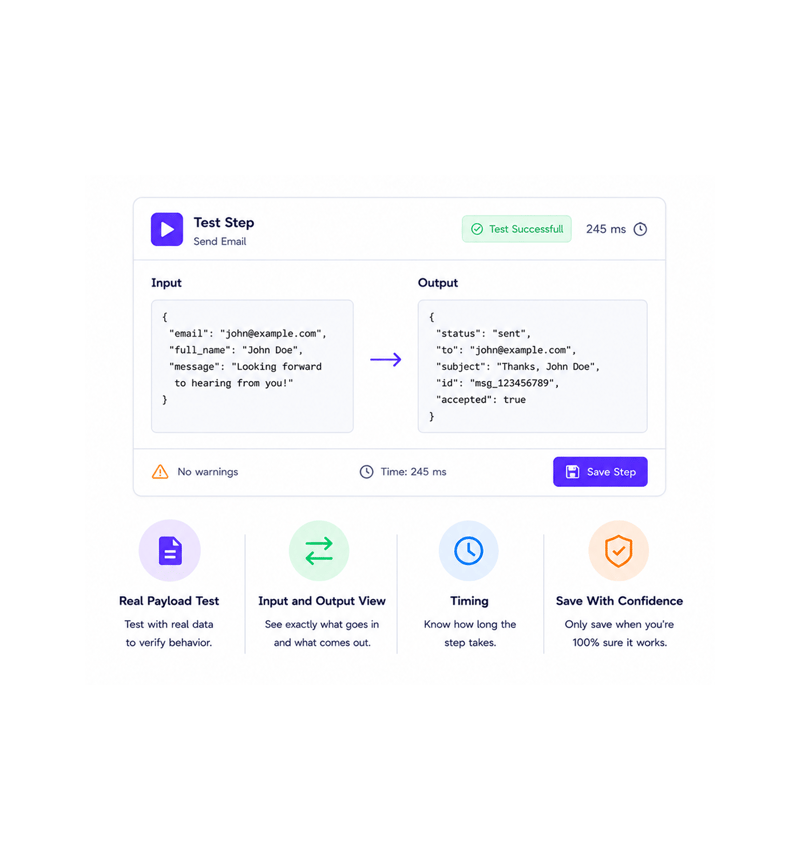
Test Before Saving
Test before you save
Run the step in isolation against a real payload, see the output as it will appear in production, and save only when satisfied. The test view shows input, output, timing, and warnings before going live.
- Real Payload Test
- Input and Output View
- Timing
- Save With Confidence
Six reasons teams never go back
Once a team builds on a library where every panel is guided and every step testable, free text automation feels like programming blind.

Seven types cover every workflow
Trigger, Action, Condition, Loop, Delay, Transform, End. Seven types map onto every workflow a business runs, with no sixty variants to choose between.

Configuration that explains itself
Every panel ships with helper text, examples, and tooltips on each field. The docs sit beside the input, so new teammates configure their first node in minutes.

Errors caught before saving
Validation runs while you type. Missing fields, malformed references, and wrong formats get flagged instantly, in plain English.

Data flows where you point it
Every value from every earlier step becomes a draggable variable. Data that needed a custom Transform now flows with one click, so integrations finally get built.

Test runs build real confidence
The step test runs the node against a real payload and shows output, timing, and warnings. By go live, every node is tested with realistic data, safe to ship on a Friday.

Same panel for every node
Every node type uses the same panel, mapping, validation, and test view. Learn one and you have learned them all, so switching between steps adds no overhead.
Seven types cover every workflow
Trigger, Action, Condition, Loop, Delay, Transform, End. Seven types map onto every workflow a business runs, with no sixty variants to choose between.
Configuration that explains itself
Every panel ships with helper text, examples, and tooltips on each field. The docs sit beside the input, so new teammates configure their first node in minutes.
Errors caught before saving
Validation runs while you type. Missing fields, malformed references, and wrong formats get flagged instantly, in plain English.
Data flows where you point it
Every value from every earlier step becomes a draggable variable. Data that needed a custom Transform now flows with one click, so integrations finally get built.
Test runs build real confidence
The step test runs the node against a real payload and shows output, timing, and warnings. By go live, every node is tested with realistic data, safe to ship on a Friday.
Same panel for every node
Every node type uses the same panel, mapping, validation, and test view. Learn one and you have learned them all, so switching between steps adds no overhead.




7300+
Teams configuring nodes with
confidence
Built for teams that want power without the learning curve
Operations, marketing, customer success, product, and founders use the Revo node library to build their workflows. Seven types are the toolkit, guided panels the instructions, step testing the safety net.
Node Types
Validation
Mapping
Before Save
Every shape, one library
Trigger, Action, Condition, Loop, Delay, Transform, End. Seven node types map onto every workflow shape your business runs on, with the smallest set of building blocks that still covers every case.
Every node, every job
Six node types in one platform, each with the same guided panel, live validation, field mapping, and step testing.

Trigger Nodes
Every workflow starts with a trigger: webhooks, schedules, manual triggers, internal WorksBuddy events. Each guided through source, auth, payload.

Action Nodes
Action nodes do the work send an email, create a record, post to chat, call a service. Each ships with live validation and a step test before firing.

Condition Nodes
Simple if/else logic anyone can read. Compare any field, combine with and/or, branch on the result. Fourteen operators cover every check.

Loop Nodes
Iterate over a list and run the same actions for each item: every new lead, invoice line, or row. Iteration variable, break conditions, safety net.

Delay Nodes
Pause for a duration or until a set time. Three day follow ups, nightly batch windows, cooling off periods, all in plain English, no timestamps.

Transform Nodes
Reshape data between steps: combine fields, split strings, format dates, build objects. The Transform node opens a guided expression builder.
Everything you need to know
Common questions about each node type, the guided panels, live validation, and step testing.
Describe the workflow, Revo builds it across 1,000+ apps.
Write an automation in plain English and Revo connects your tools, then sends AI agents to take action while you sleep.
- 1,000+
- app integrations
- 99.9%
- workflow uptime
- 0
- lines of code to build
- 10x
- faster than manual