





Know the moment something
needs your attention
Get notified the moment a workflow fails via email and in app. Custom conditions, per workflow rules, and full audit logs.
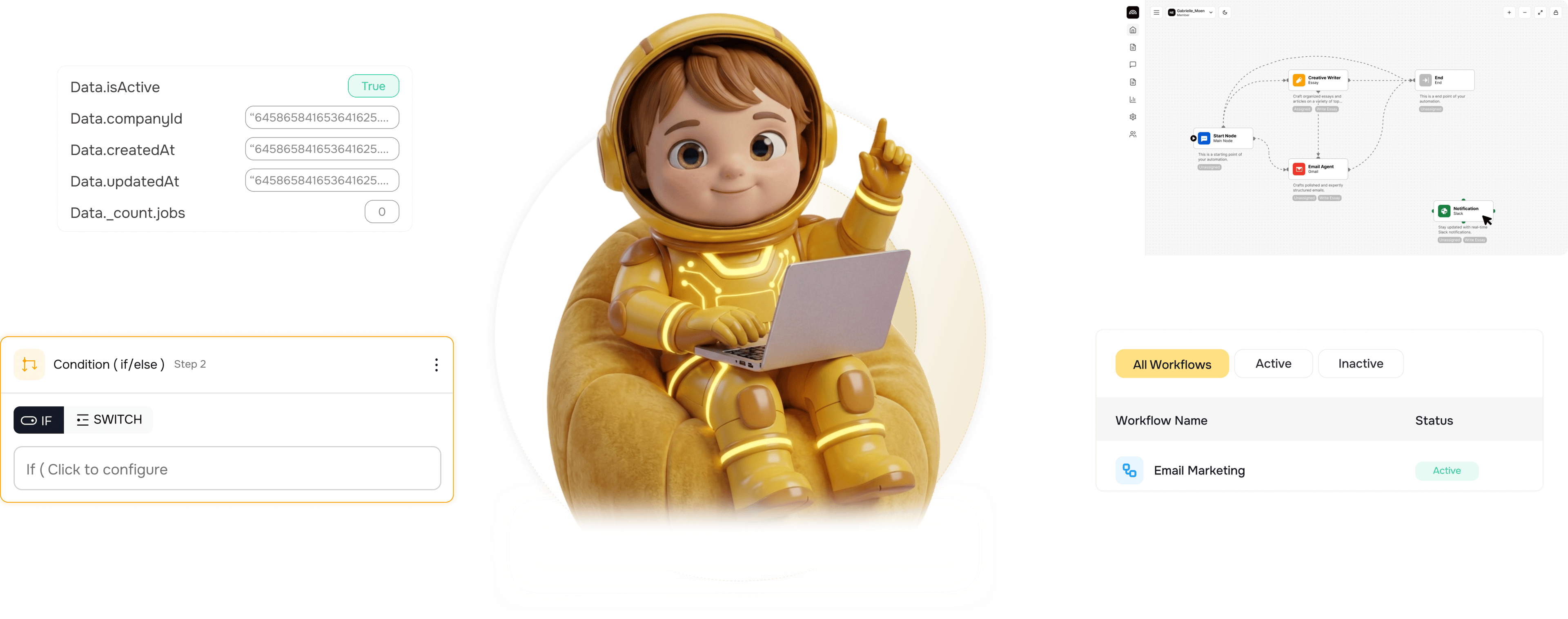
From silent failures to instant awareness in 4 steps
Failures send instant alerts via email and in app. Custom conditions catch patterns, audit logs capture all.
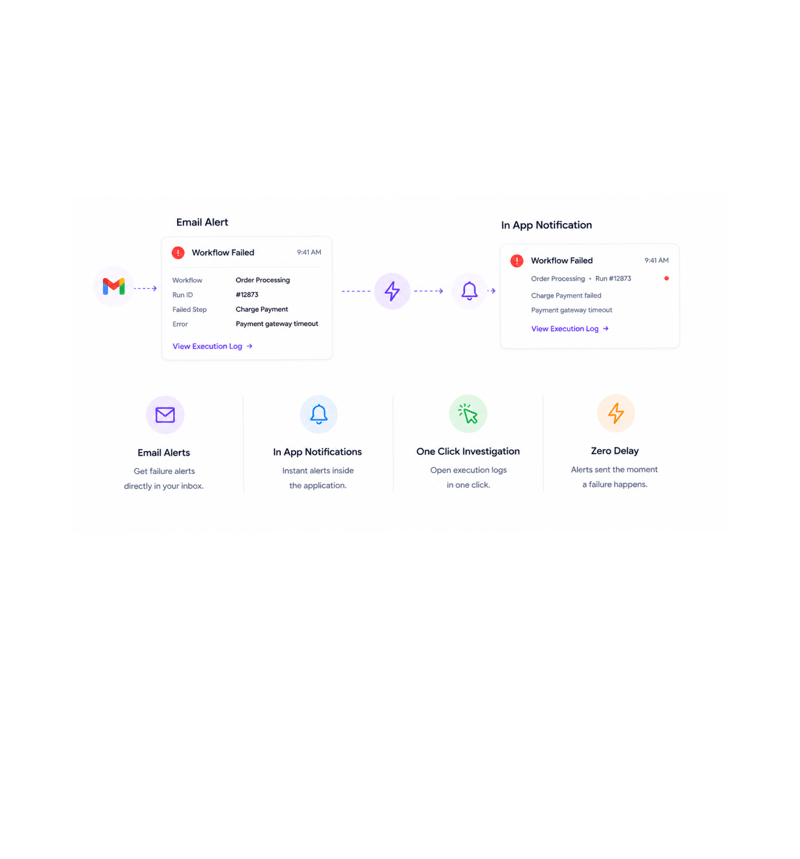
Instant Failure Alerts
Failures alert you immediately
The moment a workflow fails, the right people get notified via email and in app, no delay, no batching. The notification includes the workflow name, run identifier, failing step, error message, and a link into the log.
- Email Alerts
- In App Notifications
- One Click Investigation
- Zero Delay
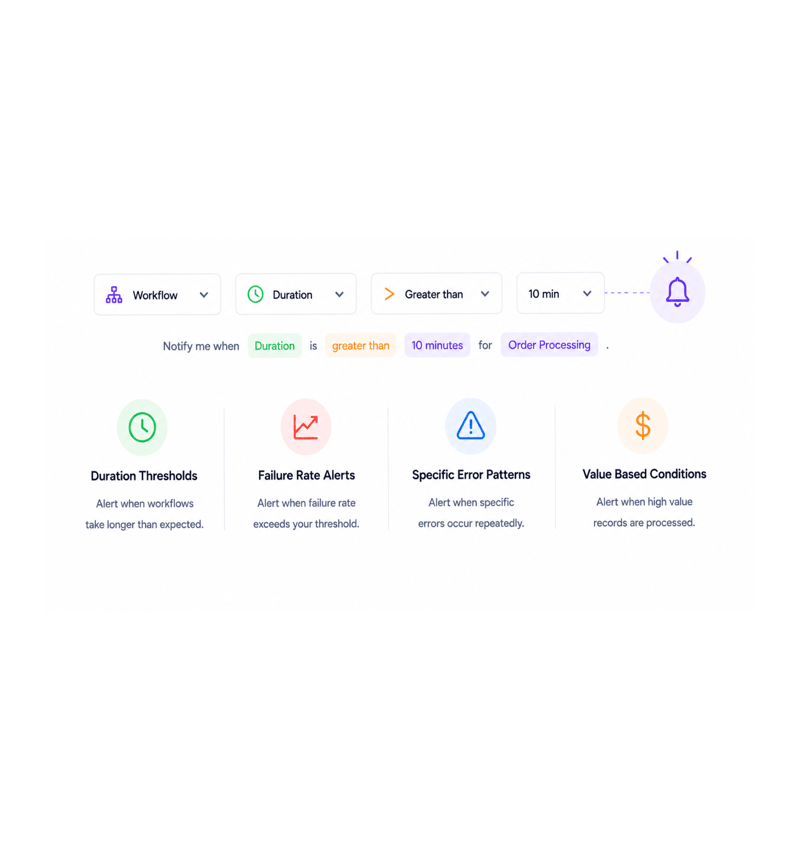
Custom Conditions
Customise what triggers a notification
Beyond default failure alerts, every workflow can have custom conditions. Fire when a workflow runs longer than expected, when failures cross a threshold, when an error recurs, or when a high value record flows through. Same visual builder.
- Duration Thresholds
- Failure Rate Alerts
- Specific Error Patterns
- Value Based Conditions
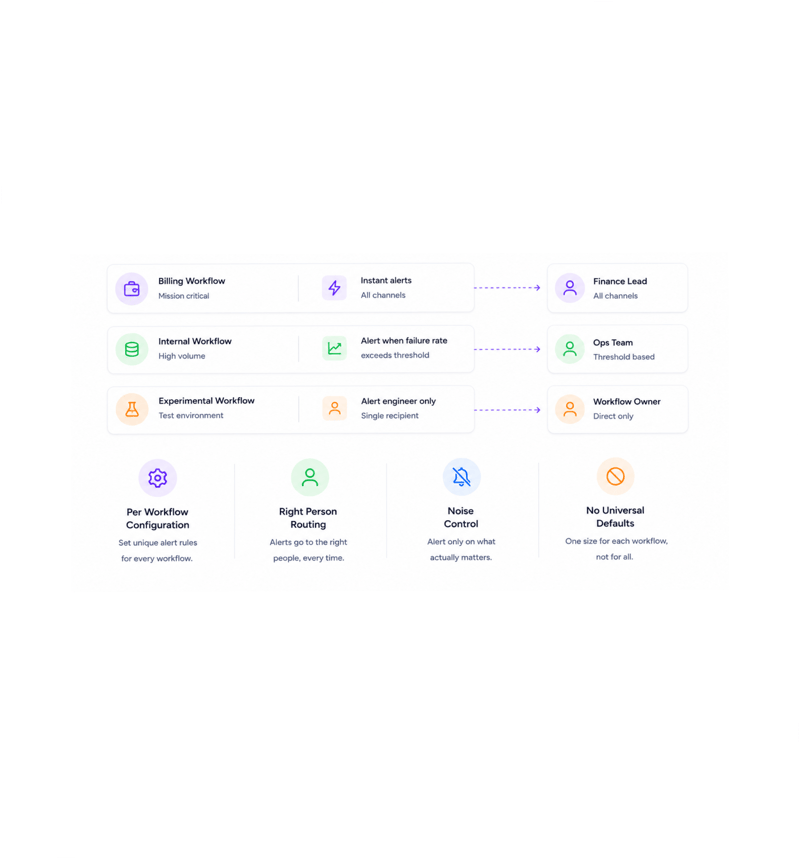
Per Workflow Rules
Configure alerts per workflow
Every workflow has its own notification rules. The critical billing workflow sends instant alerts to the finance lead through every channel. The high volume one only alerts past a threshold. The experimental one alerts its builder.
- Per Workflow Configuration
- Right Person Routing
- Noise Control
- No Universal Defaults
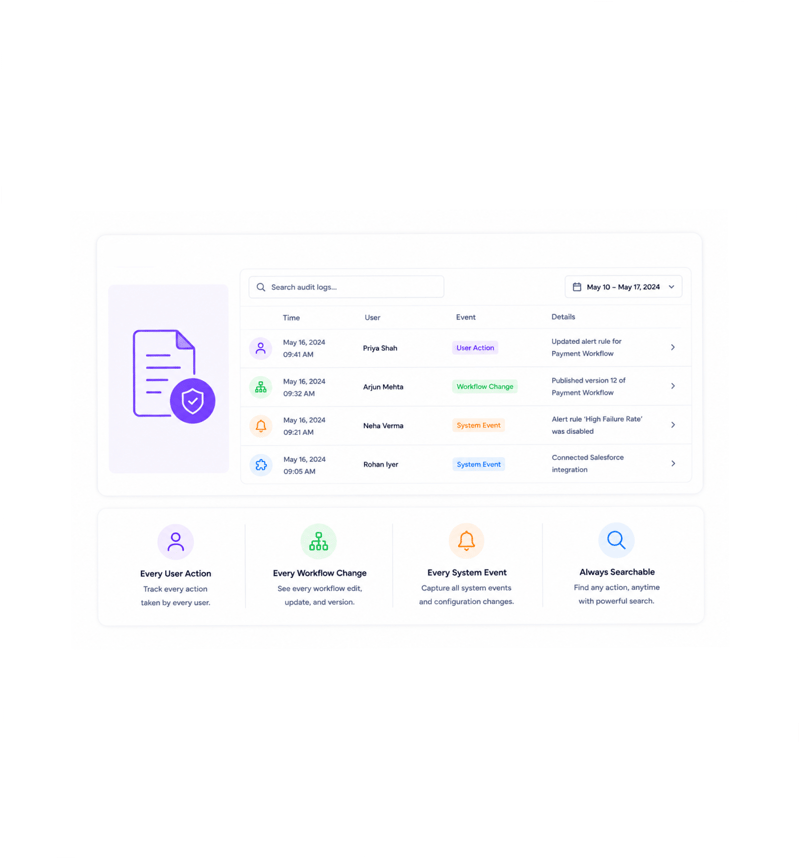
Full Audit Trail
Audit logs capture everything
Every user action, workflow change, and system event lands in the audit log with timestamp, user, workspace, and full context. Who edited the workflow. Who turned off the alert. Who connected the integration. Lost history becomes a search.
- Every User Action
- Every Workflow Change
- Every System Event
- Always Searchable
Six reasons teams never go back
Once a team has alerts the moment something breaks, routed to the right person and captured in an audit trail, finding out days later stops.

Failures never go unnoticed
The moment a workflow fails, the right people get notified via email and in app. Finding out three days later from a customer stops happening.

Success notifications when you want them
For workflows where confirmation matters, the month end reconciliation or the regulated report, optional success notifications confirm it finished.

Custom alerts for the patterns you care about
Beyond failures, custom conditions catch the patterns you care about: a workflow running long, a failure rate crossing a threshold, a recurring error.

Per workflow configuration, no one size fits all
The billing workflow alerts the finance lead through every channel. The high volume internal one only alerts when something is wrong. The test one alerts its builder.

Multiple channels, right person every time
Email for those who live in their inbox, in app for those inside the platform, messaging integrations for urgent stuff. The right alert to the right place.

Audit logs answer every who did what question
Every user action, workflow change, and system event is captured with timestamp, user, and full context. The compliance question returns an answer in a search.
Failures never go unnoticed
The moment a workflow fails, the right people get notified via email and in app. Finding out three days later from a customer stops happening.
Success notifications when you want them
For workflows where confirmation matters, the month end reconciliation or the regulated report, optional success notifications confirm it finished.
Custom alerts for the patterns you care about
Beyond failures, custom conditions catch the patterns you care about: a workflow running long, a failure rate crossing a threshold, a recurring error.
Per workflow configuration, no one size fits all
The billing workflow alerts the finance lead through every channel. The high volume internal one only alerts when something is wrong. The test one alerts its builder.
Multiple channels, right person every time
Email for those who live in their inbox, in app for those inside the platform, messaging integrations for urgent stuff. The right alert to the right place.
Audit logs answer every who did what question
Every user action, workflow change, and system event is captured with timestamp, user, and full context. The compliance question returns an answer in a search.




11800+
Teams running automation with
instant alerting and full audit trails
Built for teams who never want to be surprised by their own automation
Ops leaders, on call engineers, customer success managers, finance specialists, and compliance officers use Revo notifications as the watchful layer over every workflow. Instant alerting, custom rules, full audit trail.
Alerts
Channel
Rules
Audit
Detect, route, notify
Instant failure alerts the moment a workflow breaks, optional success notifications where confirmation matters, custom conditions for the patterns you care about, and per workflow rules so noise matches importance.
Everything the alerting and audit layer ships with
A complete notifications and audit toolkit, built in. Instant failure alerts, custom conditions, and a full audit log.

Instant Failure Notifications
The moment a workflow fails, the right people get notified via email and in app: workflow name, failing step, error, and a link to the log.

Optional Success Notifications
For workflows where confirmation matters, the reconciliation or regulated report, optional success notifications confirm it finished.

Custom Alert Conditions
Beyond failures, custom conditions fire on patterns you care about: long durations, failure rates over a threshold, recurring errors.

Per Workflow Configuration
Every workflow has its own rules. Billing alerts the finance lead through every channel, high volume only past a threshold, experimental its builder.

Multiple Notification Channels
Email for those who live in their inbox, in app for those in the platform, plus messaging integrations. Right alert, right channel.

Complete Audit Logs
Every user action, workflow change, and system event captured with timestamp, user, and context. Searchable and exportable in seconds.
Everything you need to know
Questions about failure alerts, custom alerts, channels, and audit logs.
Describe the workflow, Revo builds it across 1,000+ apps.
Write an automation in plain English and Revo connects your tools, then sends AI agents to take action while you sleep.
- 1,000+
- app integrations
- 99.9%
- workflow uptime
- 0
- lines of code to build
- 10x
- faster than manual