





Every value in one place every
secret safely stored
Define variables once, reference them anywhere. Store keys and secrets encrypted. Global, workflow, and user scopes in a visual editor.
From scattered values to one safe vault in 4 steps
Define each variable or secret, pick the scope, reference it anywhere. Rotate once and every workflow follows.
Define the Value
Define the variable or secret
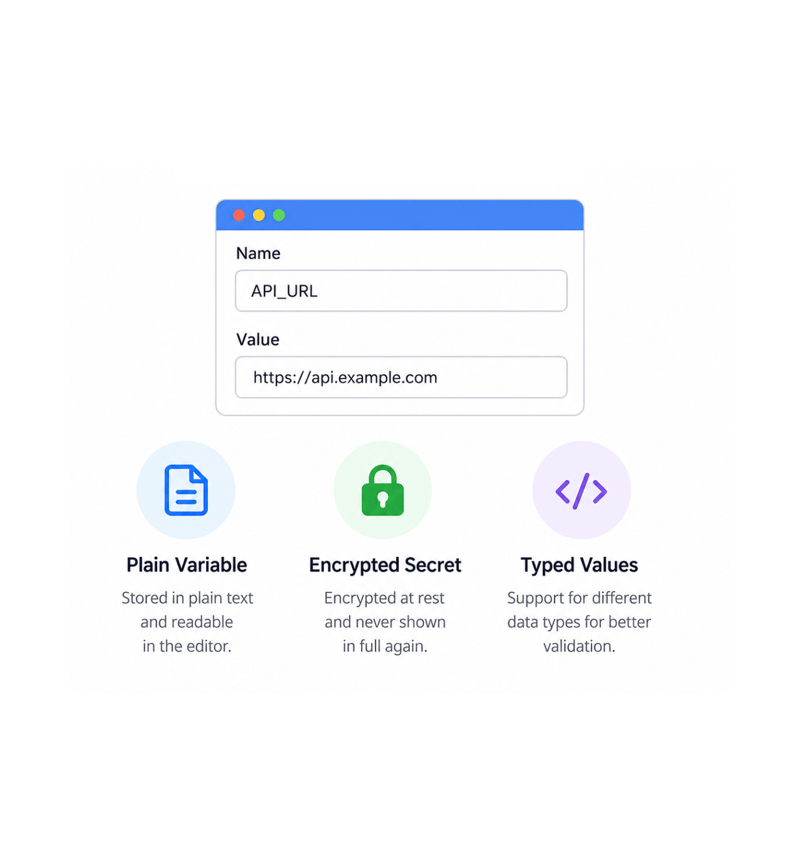
Open the visual editor, name the variable, set the value, mark it plain or secret. Plain variables stay readable. Secrets encrypt the moment they hit storage and are never shown again: workflows use them, humans cannot.
- Visual Editor
- Plain Variable
- Encrypted Secret
- Typed Values
Choose the Scope
Choose the scope
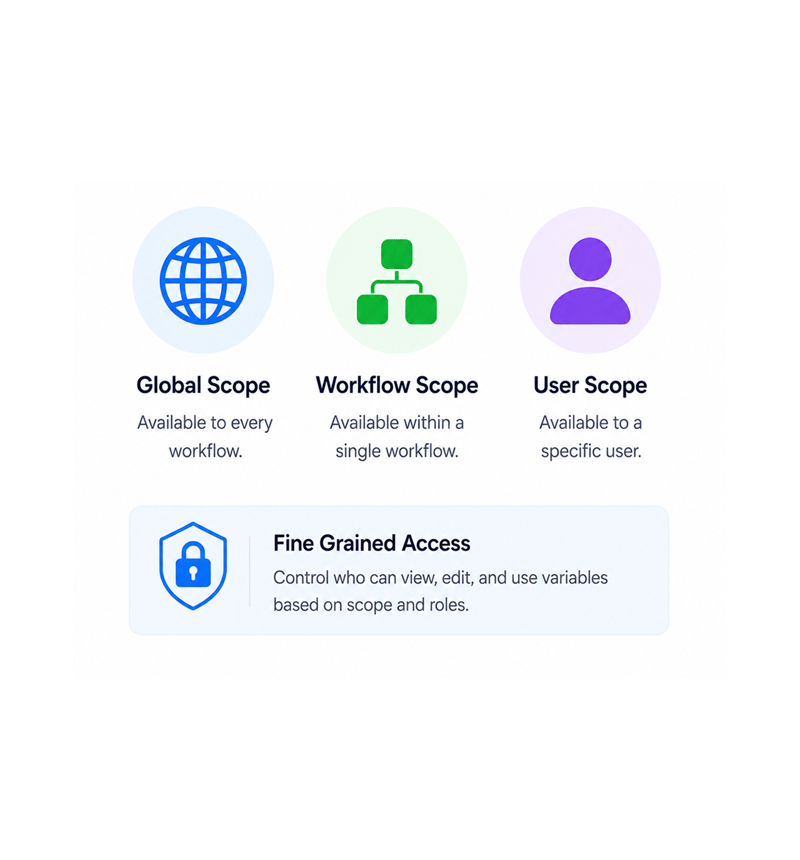
Global scope makes a variable available to every workflow, ideal for company wide config and shared keys. Workflow scope keeps a value inside one workflow. User scope binds a value to a user for personal credentials.
- Global Scope
- Workflow Scope
- User Scope
- Fine Grained Access
Reference Anywhere
Reference with variable syntax
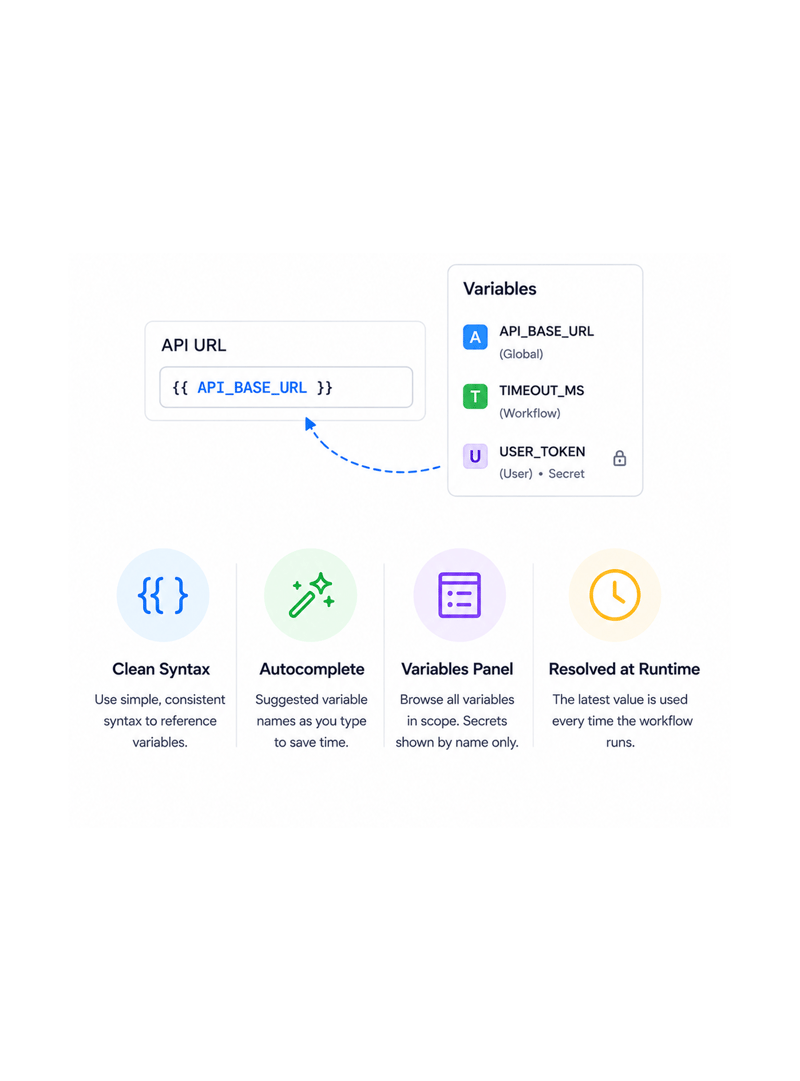
Inside any node, drop the variable into the field that needs it. The panel browses every variable in scope, with secrets shown by name but never value. Autocomplete suggests matches, and references resolve at run time.
- Clean Syntax
- Autocomplete
- Variables Panel
- Resolved at Runtime
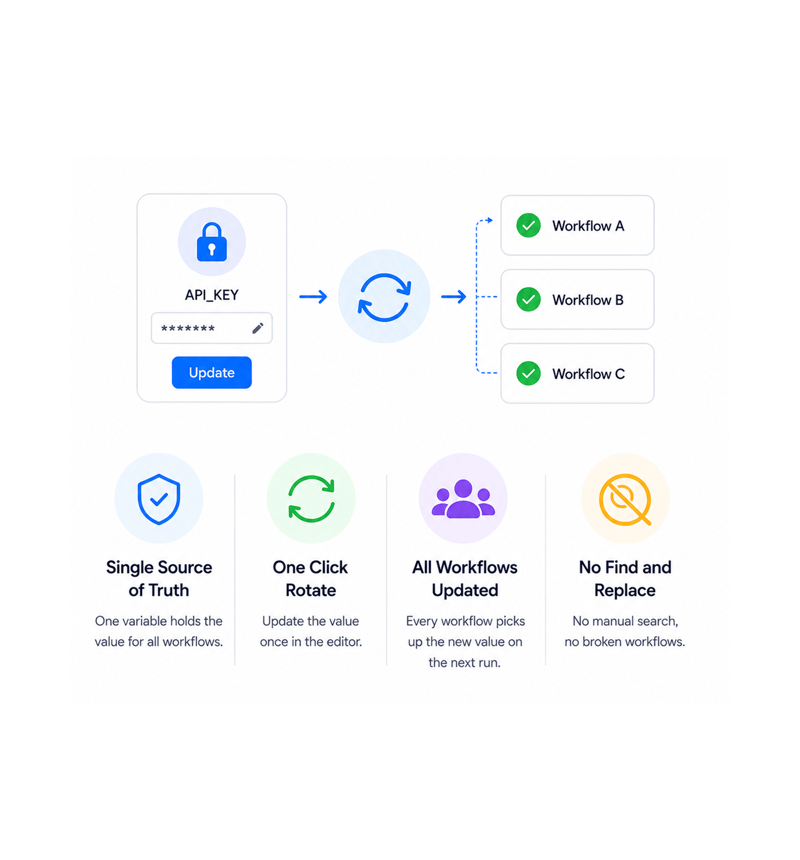
Rotate Safely
Rotate without touching workflows
When a key expires or a value changes, update it once in the editor and every workflow picks up the new value on its next run. No node by node hunt, no broken workflows, no manual find and replace. Rotation is one save.
- Single Source of Truth
- One Click Rotate
- All Workflows Updated
- No Find and Replace
Six reasons teams never go back
Once a team manages variables and secrets in one safe place, pasting API keys into nodes looks like a security incident waiting to happen.

One source of truth for every value
The API key, support email, company name, regional setting: every value used across workflows lives in one place. Update once, every workflow follows.

Secrets stay secret
A key pasted into a node used to be visible to anyone who opened the workflow. Encrypted storage means it enters once, encrypts immediately, and never shows again.

Rotate keys without breaking workflows
Rotating credentials every ninety days used to mean opening every workflow, replacing each instance, and testing it all. With variables, rotation is one save.

Scope keeps the right people in
Global, workflow, and user scopes let the team decide who sees what. Workspace credentials live globally, settings stay local, personal tokens bind to the user.

No more hardcoded values in nodes
The "paste it in for now" shortcut left workspaces full of hardcoded keys and settings. Variables remove the temptation: define once, reference everywhere.

Visual editor every teammate can use
The editor is a clean visual panel, not a config file. Anyone with permission can add, update, rotate, or retire a variable without involving engineering.
One source of truth for every value
The API key, support email, company name, regional setting: every value used across workflows lives in one place. Update once, every workflow follows.
Secrets stay secret
A key pasted into a node used to be visible to anyone who opened the workflow. Encrypted storage means it enters once, encrypts immediately, and never shows again.
Rotate keys without breaking workflows
Rotating credentials every ninety days used to mean opening every workflow, replacing each instance, and testing it all. With variables, rotation is one save.
Scope keeps the right people in
Global, workflow, and user scopes let the team decide who sees what. Workspace credentials live globally, settings stay local, personal tokens bind to the user.
No more hardcoded values in nodes
The "paste it in for now" shortcut left workspaces full of hardcoded keys and settings. Variables remove the temptation: define once, reference everywhere.
Visual editor every teammate can use
The editor is a clean visual panel, not a config file. Anyone with permission can add, update, rotate, or retire a variable without involving engineering.




11200+
Teams keeping secrets out of
workflow nodes
Built for teams that handle sensitive credentials every day
Ops, automation engineers, security, compliance, customer success, and founders use Revo where credentials finally get treated properly. The variable layer is the source of truth, the vault the encrypted store.
Storage
Access
Editor
Trail
Define once, reference everywhere
Every value used in more than one workflow lives in the variable layer, defined once and referenced anywhere. Global, workflow, and user scopes control visibility. Update once, every workflow follows.
Everything the variable layer ships with
Variable and secret management built in. Global, workflow, and user scopes, encrypted secrets, one click rotation.

Global and Workflow Level Variables
Define values once and reuse them across the workspace. Global variables go everywhere, workflow ones stay private. Each has a name, type, description.

Encrypted Secret Storage
API keys, tokens, signing keys, and sensitive credentials get encrypted the moment they hit storage. Workflows read at runtime; humans never can.

User Level and Workflow Level Scopes
Three scopes cover every visibility pattern. Global goes everywhere, workflow scopes to one workflow, user binds to a user. Scope is one click at creation.

Visual Variable Editor
A clean visual panel for adding, updating, rotating, and retiring variables and secrets. Search the library, filter by scope, group by category.

Variable Syntax Across Every Node
Drop a variable into any node with clean, consistent syntax. Autocomplete suggests matches, and references resolve at run time to the current value.

Key Rotation Without Code Changes
Rotating an API key is one save in the variable editor. The new value flows to every workflow on the next run no hunt, no find and replace.
Everything you need to know
Common questions about scopes, secret encryption, rotation, syntax, permissions, and audit trail.
Describe the workflow, Revo builds it across 1,000+ apps.
Write an automation in plain English and Revo connects your tools, then sends AI agents to take action while you sleep.
- 1,000+
- app integrations
- 99.9%
- workflow uptime
- 0
- lines of code to build
- 10x
- faster than manual