





Run the workflow only
when it actually should
Filter every trigger before the workflow runs. Combine with AND or OR, fourteen operators, nested fields, patterns.
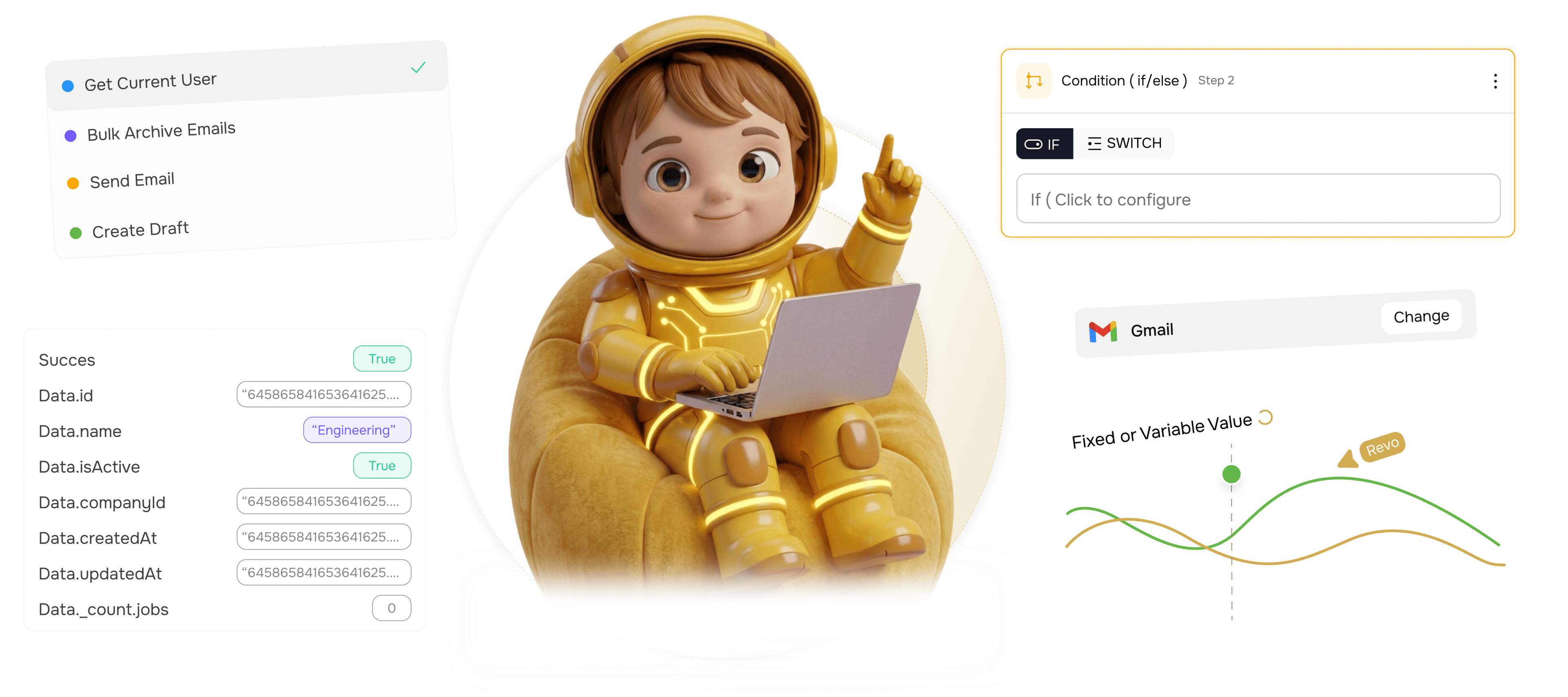
From every incoming event to only the right workflows firing
Filter every trigger before the workflow runs. Combine with AND or OR, 14 operators, nested fields.
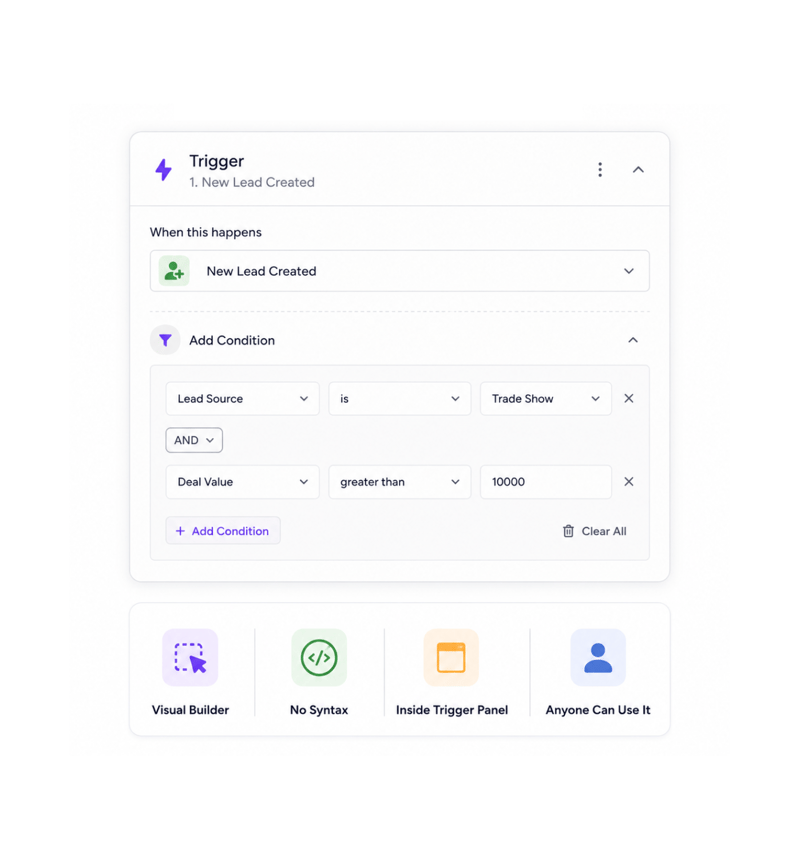
Add a Condition
Add a condition to the trigger
Open the trigger panel and click add condition. The visual builder opens with no syntax to learn. The person who knows the rule — the lead filtering trade show leads, the ops specialist filtering big deals — adds it in seconds.
- Visual Builder
- No Syntax
- Inside Trigger Panel
- Anyone Can Use It
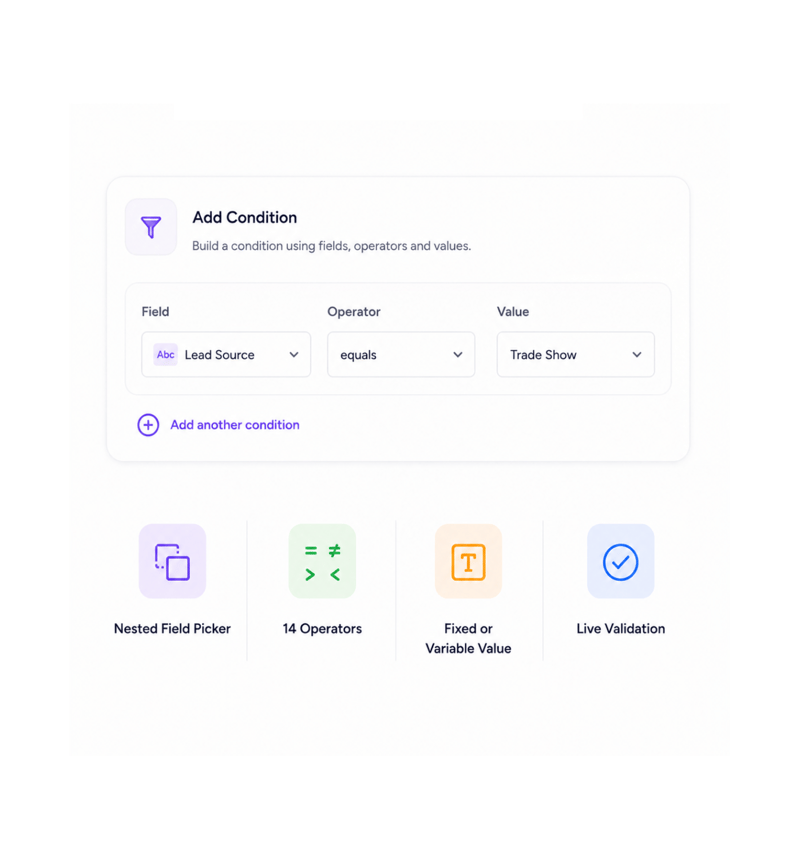
Field, Operator, Value
Pick a field, an operator, a value
Every condition is three picks. Pick the field with the nested path selector. Pick one of fourteen operators — equality, range, list membership, emptiness, pattern matching. Set the value, fixed or referenced. The condition is live.
- Nested Field Picker
- 14 Operators
- Fixed or Variable Value
- Live Validation
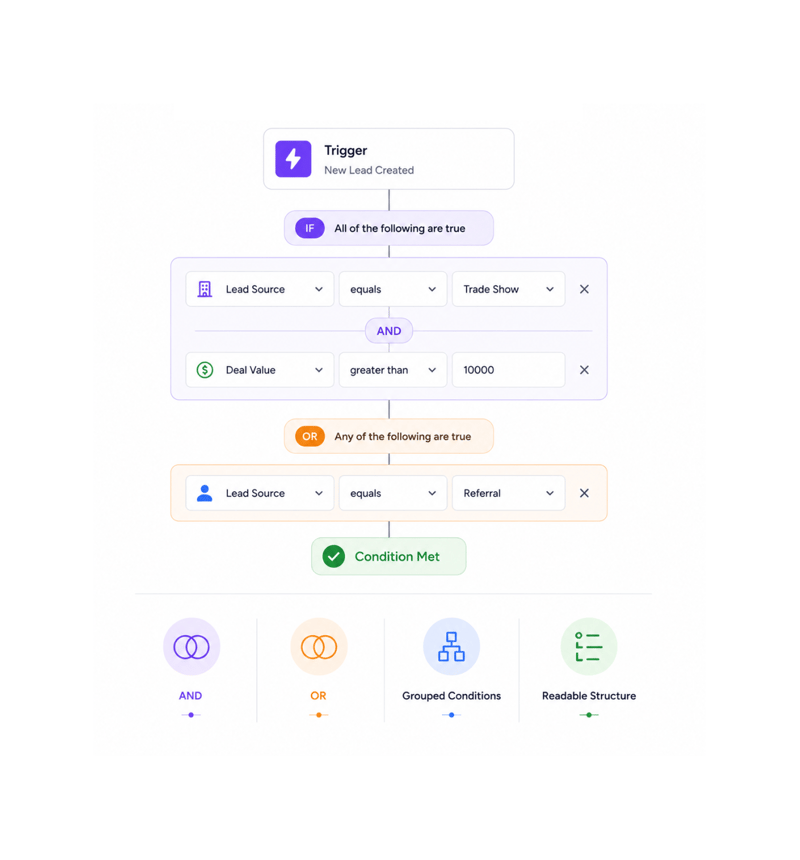
Combine Conditions
Combine conditions with AND or OR
A single condition is rarely enough. Combine with AND when every check passes, OR when one is enough. Group them for compound rules — fire when the lead is from a trade show AND over ten thousand, OR a referral. Structure stays clear.
- AND
- OR
- Grouped Conditions
- Readable Structure
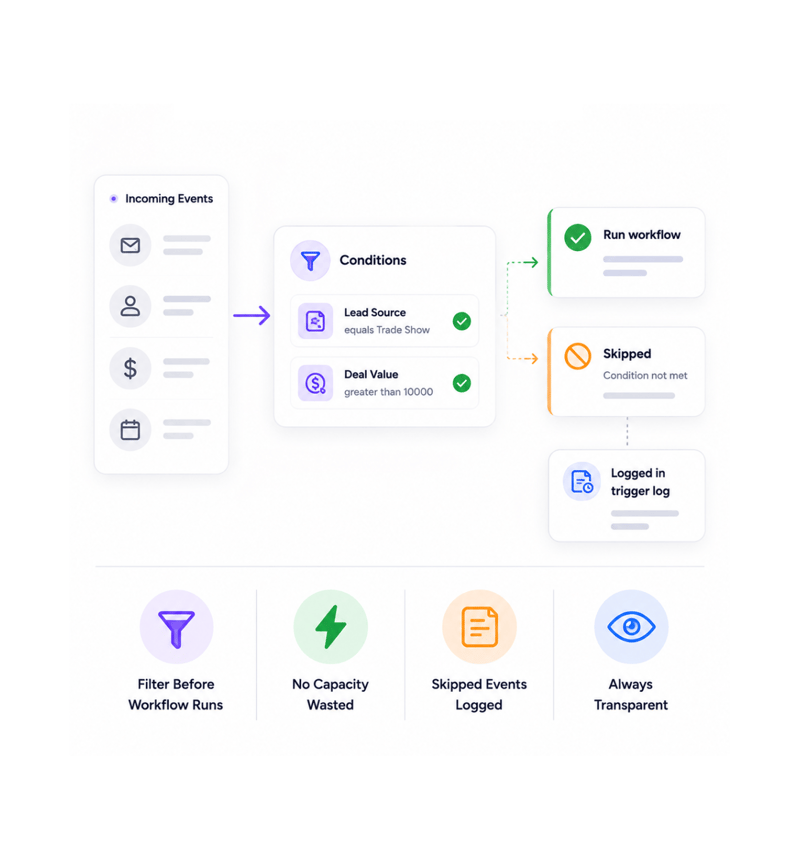
Filter Before Firing
Only matching events fire the workflow
Conditions run on every event before any node executes. Matching events fire the workflow with the full payload. Failing events get quietly skipped, no capacity wasted, but still appear in the trigger log with their result.
- Filter Before Workflow Runs
- No Capacity Wasted
- Skipped Events Logged
- Always Transparent
Six reasons teams never go back
Once a team filters at the trigger instead of running a full workflow to discover the event was not worth it, filtering inside looks slow.

Workflows fire on the right events only
The classic "the workflow runs for every lead but we only care about some" disappears. The condition lives on the trigger, so it fires only for events that deserve a reaction.

Fourteen operators cover every check
Equals, not equal, contains, starts/ends with, greater/less than, in/not in list, is empty, matches pattern. Fourteen operators cover every business comparison.

Nested fields finally accessible
Real payloads are not flat. The value you want sits levels deep, line items in an invoice, an address in a contact. The picker reaches any depth.

Pattern matching when equality is not enough
Some checks are not equality. Filter where an email ends in a domain or an order ID follows a format. Pattern matching does what operators cannot.

Conditions everyone can build
The visual builder is the same point and click experience as every config. Marketing by source, ops by deal value, CS by priority, set up alone.

Cheaper than filtering inside the workflow
A condition node inside the workflow still starts it and runs a step. A trigger condition stops it starting at all, cutting overhead at high volume.
Workflows fire on the right events only
The classic "the workflow runs for every lead but we only care about some" disappears. The condition lives on the trigger, so it fires only for events that deserve a reaction.
Fourteen operators cover every check
Equals, not equal, contains, starts/ends with, greater/less than, in/not in list, is empty, matches pattern. Fourteen operators cover every business comparison.
Nested fields finally accessible
Real payloads are not flat. The value you want sits levels deep, line items in an invoice, an address in a contact. The picker reaches any depth.
Pattern matching when equality is not enough
Some checks are not equality. Filter where an email ends in a domain or an order ID follows a format. Pattern matching does what operators cannot.
Conditions everyone can build
The visual builder is the same point and click experience as every config. Marketing by source, ops by deal value, CS by priority, set up alone.
Cheaper than filtering inside the workflow
A condition node inside the workflow still starts it and runs a step. A trigger condition stops it starting at all, cutting overhead at high volume.




12700+
Teams filtering events at the trigger,
not in the workflow
Built for teams that only want to act on what matters
Ops, marketing ops, customer success, sales ops, automation engineers, and founders use trigger conditions to filter the events that drive a workflow. The builder is the entry, the operators the toolkit.
Operators
Logic
Fields
Matching
Visual, combinable, complete
A point and click builder anyone can use, with fourteen operators, nested field selection, AND/OR combinators, and pattern matching for when equality is not enough. Conditions appear in the trigger panel.
Everything the condition layer ships with
A trigger filtering toolkit. Visual builder, fourteen operators, AND/OR, nested fields, patterns.

Visual Condition Builder
A point and click builder inside every trigger panel. No syntax, just pick the field, operator, and value. Anyone adds it.

Fourteen Comparison Operators
Equals, not equal, contains, starts/ends with, greater/less than, in/not in a list, empty, matches pattern. Fourteen operators cover every check.

Combine Conditions with AND / OR
Combine conditions with AND when every check must pass and OR when one is enough. Group for compound rules. The builder keeps the rule readable.

Nested Field Path Selection
Real payloads are not flat. The path picker clicks through to any depth line items in an invoice, address in a contact, metadata in a webhook.

Pattern Matching
Some checks are not equality. Pattern matching with regular expressions handles emails ending in a domain or order IDs in a format.

Real Time Validation
Every condition is validated as you build. Missing fields, mismatched types, nonexistent references, malformed patterns — flagged inline in plain English.
Everything you need to know
Common questions about operators, AND/OR grouping, nested fields, and pattern matching.
Describe the workflow, Revo builds it across 1,000+ apps.
Write an automation in plain English and Revo connects your tools, then sends AI agents to take action while you sleep.
- 1,000+
- app integrations
- 99.9%
- workflow uptime
- 0
- lines of code to build
- 10x
- faster than manual