





Five workflow architectures
one platform that runs them all
Five workflow shapes on one platform: graph, step, manual, scheduled, and event driven.
From the right architecture to a running workflow in 4 steps
Match the shape to the work: visual canvas, linear steps, manual button, timer, or event.
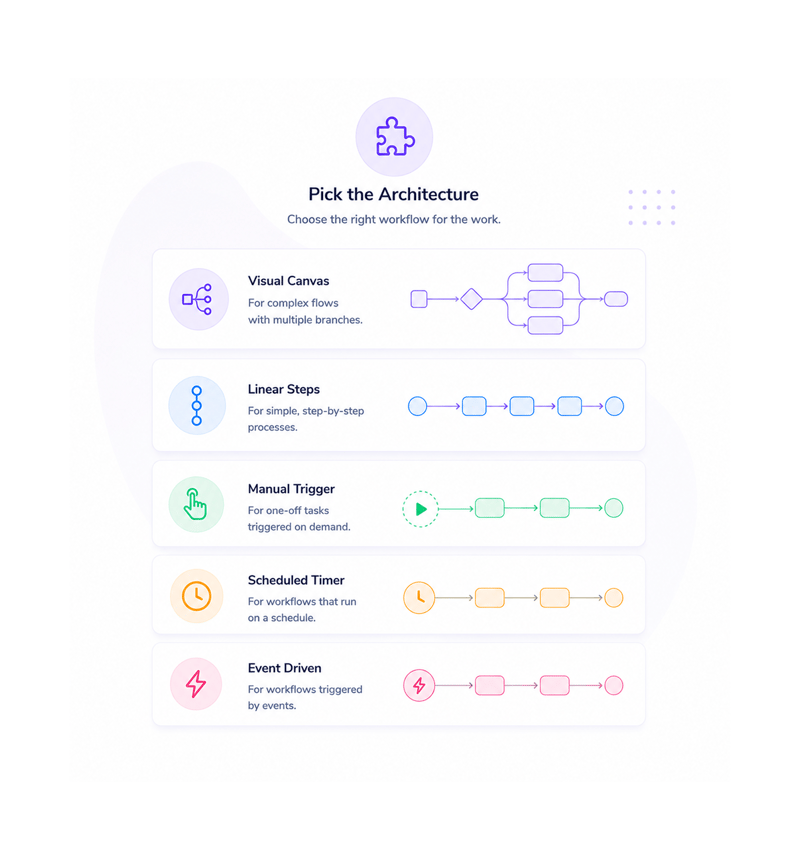
Pick the Architecture
Pick the right architecture
Workflows have different shapes. Complex routing wants a canvas. Simple onboarding wants linear steps. A one off export wants a manual trigger. A digest wants a schedule. A payment wants an event. Pick the fit.
- Graph Based
- Step Based
- Manual
- Scheduled
- Event Driven
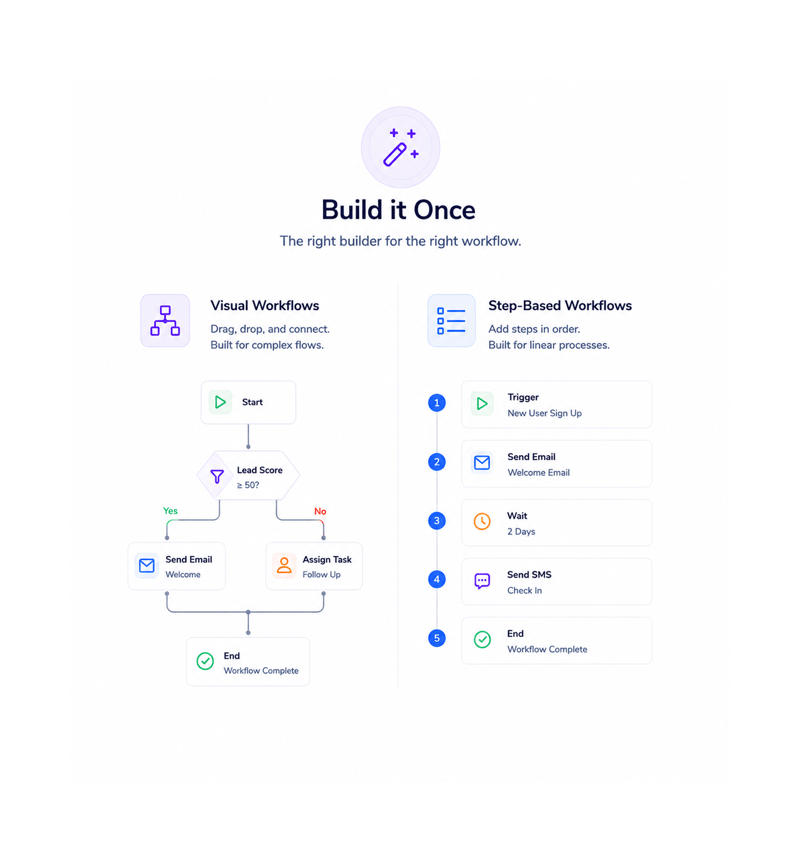
Build it Once
Build it once
Visual workflows open the drag and drop canvas with the full node library. Step based ones open a linear editor with inline conditions. Both feel native to their architecture. The build matches the shape of the work.
- Visual Canvas
- Linear Editor
- Native to Shape
- No Compromises
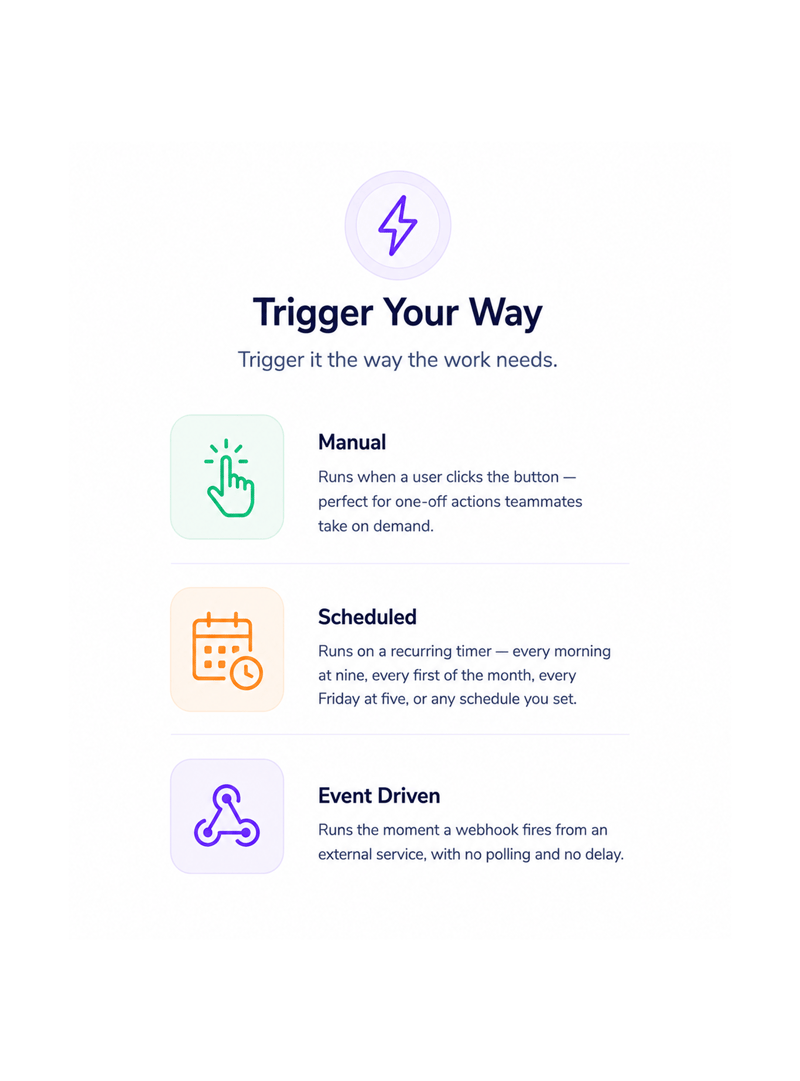
Trigger Your Way
Trigger it the way the work needs
A manual workflow runs when a teammate clicks the button. A scheduled one runs on a recurring timer, every morning or every Friday. An event driven one runs the moment a webhook fires, no polling, no delay.
- User Triggered
- Cron Scheduled
- Webhook Driven
- Instant Reaction
Mix Across the Library
Mix and match across the workspace
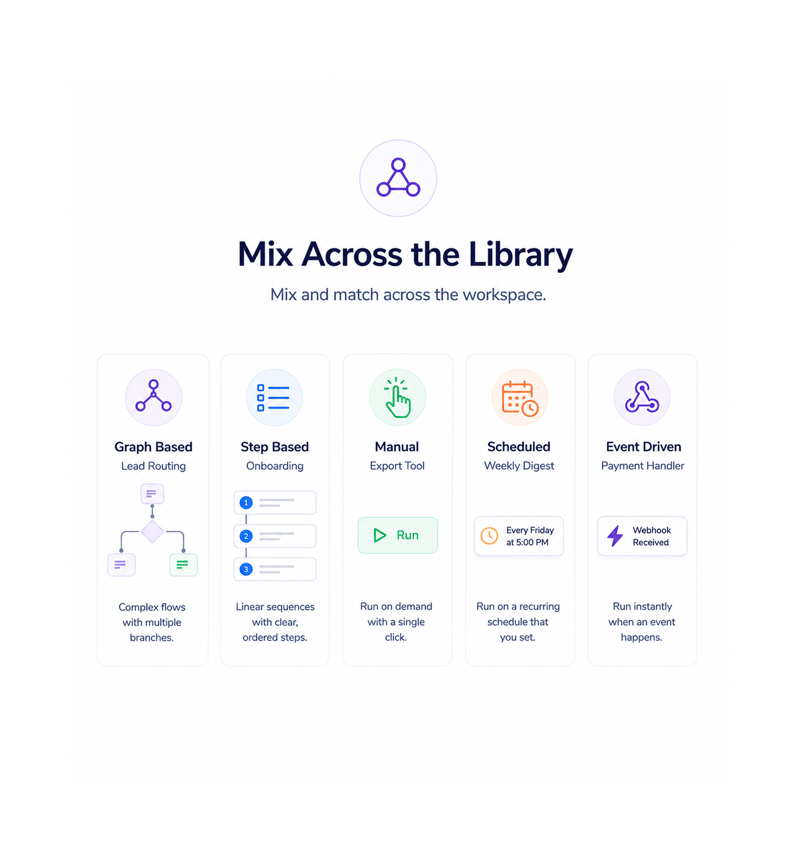
Your workspace runs a graph routing flow, a step onboarding, a manual export, a scheduled digest, and an event driven payment handler side by side. Every workflow uses the architecture that fits it, nothing forced.
- Combine Architectures
- Same Workspace
- Right Shape Every Time
- No Forced Fits
Six reasons teams never go back
Once a team picks the right shape per workflow, a single architecture builder feels like writing every document in a spreadsheet.

The right shape for every job
Workflows are different shapes. Forcing a five branch flow into a linear editor wastes time. Five architectures means the right shape is always there.

Visual when you need to see it
Complex workflows with branches become unreadable as text. The graph architecture opens them on a canvas where the flow reads at a glance.

Linear when you need it simple
A five step sequence with a condition or two needs no canvas. The step based architecture opens a linear editor with inline conditions.

Manual runs for on demand work
Not everything should be automatic. Data exports, one off cleanups, reconciliations. Manual workflows give teammates a button with the full platform behind it.

Scheduled jobs without extra tools
The Monday digest, the Friday report, the monthly reconciliation. Work that lived in a forgotten cron job now sits in the same library as everything else.

External events flow straight in
A payment captured, a form submission, a deal closed. Event driven workflows accept webhooks from any external app and run immediately, no delay.
The right shape for every job
Workflows are different shapes. Forcing a five branch flow into a linear editor wastes time. Five architectures means the right shape is always there.
Visual when you need to see it
Complex workflows with branches become unreadable as text. The graph architecture opens them on a canvas where the flow reads at a glance.
Linear when you need it simple
A five step sequence with a condition or two needs no canvas. The step based architecture opens a linear editor with inline conditions.
Manual runs for on demand work
Not everything should be automatic. Data exports, one off cleanups, reconciliations. Manual workflows give teammates a button with the full platform behind it.
Scheduled jobs without extra tools
The Monday digest, the Friday report, the monthly reconciliation. Work that lived in a forgotten cron job now sits in the same library as everything else.
External events flow straight in
A payment captured, a form submission, a deal closed. Event driven workflows accept webhooks from any external app and run immediately, no delay.




9100+
Teams running multiple architectures
side by side
Built for teams that run more than one kind of automation
Ops, automation specialists, marketing ops, and customer success run every kind of automation under one roof. Graph for routing, step for sequences, manual for on demand, scheduled and event for the rest.
Based
Based
Schedule
Driven
Five shapes, every workflow
Graph for complex flows. Step for simple sequences. Manual for on demand runs. Scheduled for recurring jobs. Event driven for webhooks. Five architectures, each native to its shape.
Every architecture, every job
Five workflow architectures plus the freedom to combine them in one platform.

Graph Based Workflows
Drag triggers and actions onto the canvas, draw connections, branch with conditions, loop over lists. Built for complex flows.

Step Based Workflows
A linear editor where each step sits below the last, conditions inline, the workflow reads top to bottom. Built for sequences with no branching.

Manual Workflows
A workflow that runs only when a teammate clicks the button. Perfect for one off exports, reconciliations, and ad hoc cleanups.

Scheduled Workflows
A workflow that runs on a recurring timer. Plain English for common patterns Monday at nine, the first of the month and full cron syntax for the unusual.

Event Driven Workflows
A workflow that fires the moment a webhook arrives: payment captured, form submission, deal closed. No polling, no delay.

Combine Architectures in One Workspace
Run a graph based routing flow, a step based onboarding, a manual export, a scheduled digest, and an event driven payment handler all in one workspace.
Everything you need to know
Common questions about each architecture, scheduled timers, event sources, combinations, and performance.
Describe the workflow, Revo builds it across 1,000+ apps.
Write an automation in plain English and Revo connects your tools, then sends AI agents to take action while you sleep.
- 1,000+
- app integrations
- 99.9%
- workflow uptime
- 0
- lines of code to build
- 10x
- faster than manual