





Real Time Collaboration Across
Every Task and Project
Pusher WebSocket channels per user. Instant events for assignments, status changes, comments, uploads, and whiteboard edits.
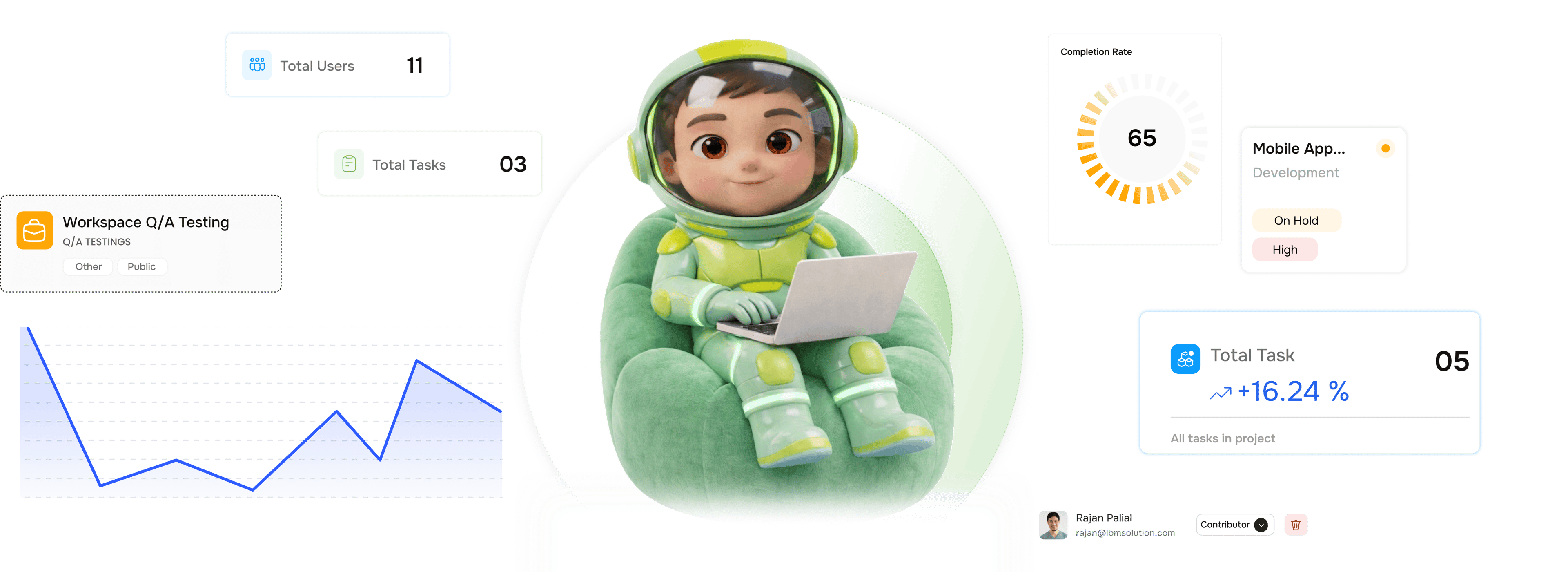
From a workspace action to every teammate's screen in under a second
TARO uses Pusher WebSocket channels to push every workspace event instantly. No polling, no refreshes.
Channels
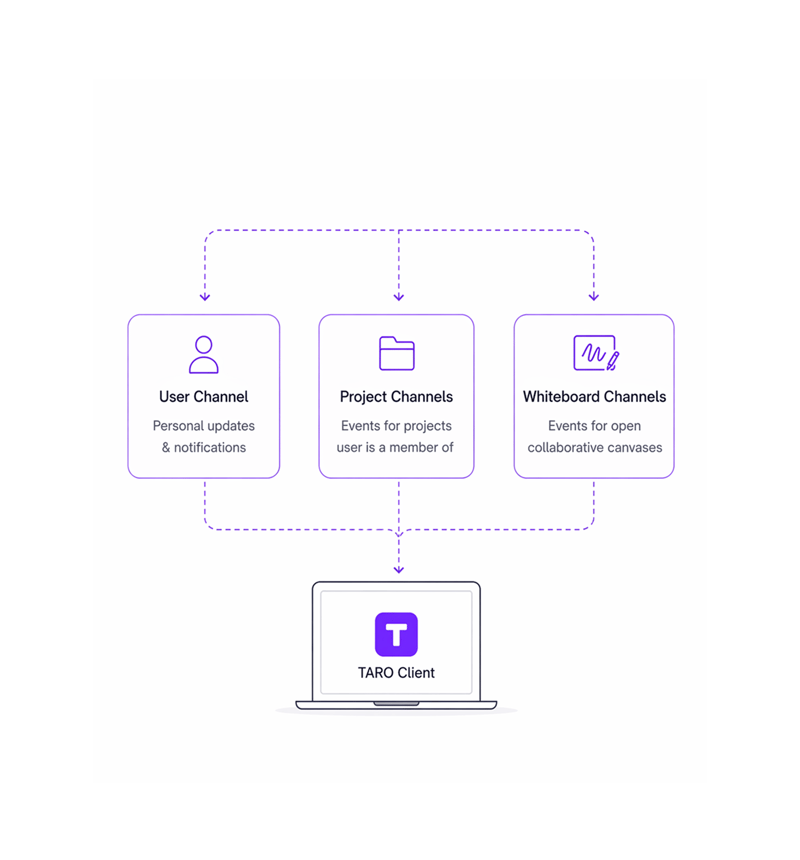
A dedicated channel for every user, project, and whiteboard.
When a user opens TARO, the client subscribes to Pusher private and presence channels scoped to their access: a personal channel, project channels for every project they belong to, and whiteboard channels.
Events
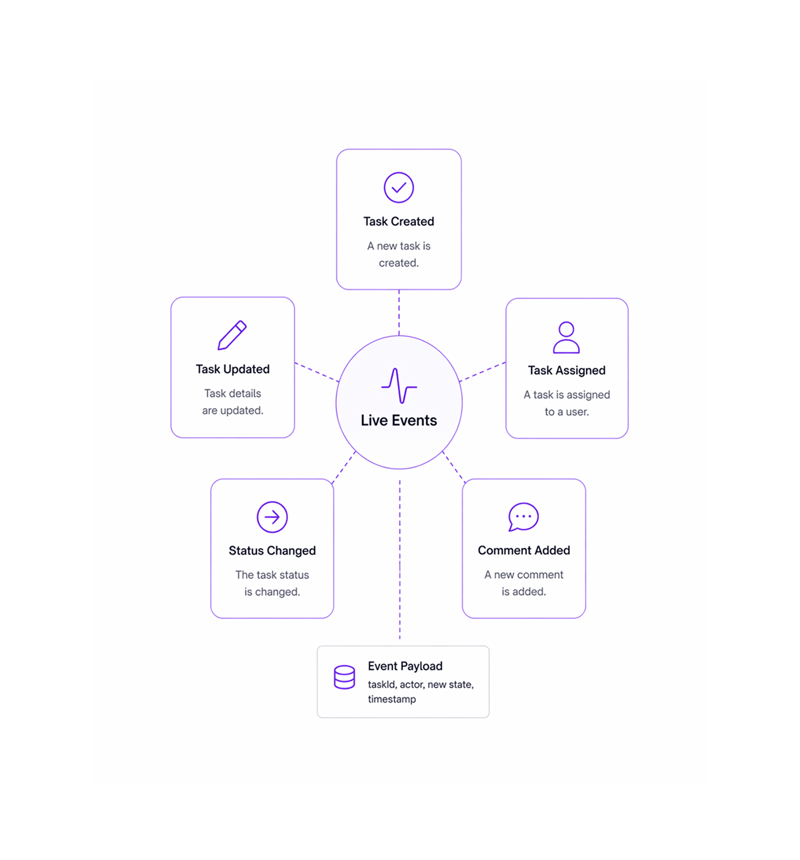
Five event types cover every action that matters to the team.
Every action in TARO fires a WebSocket event pushed to relevant subscribers in real time. Each event carries a structured payload (task ID, actor, new state), so the client updates its UI without re-fetching.
Sync
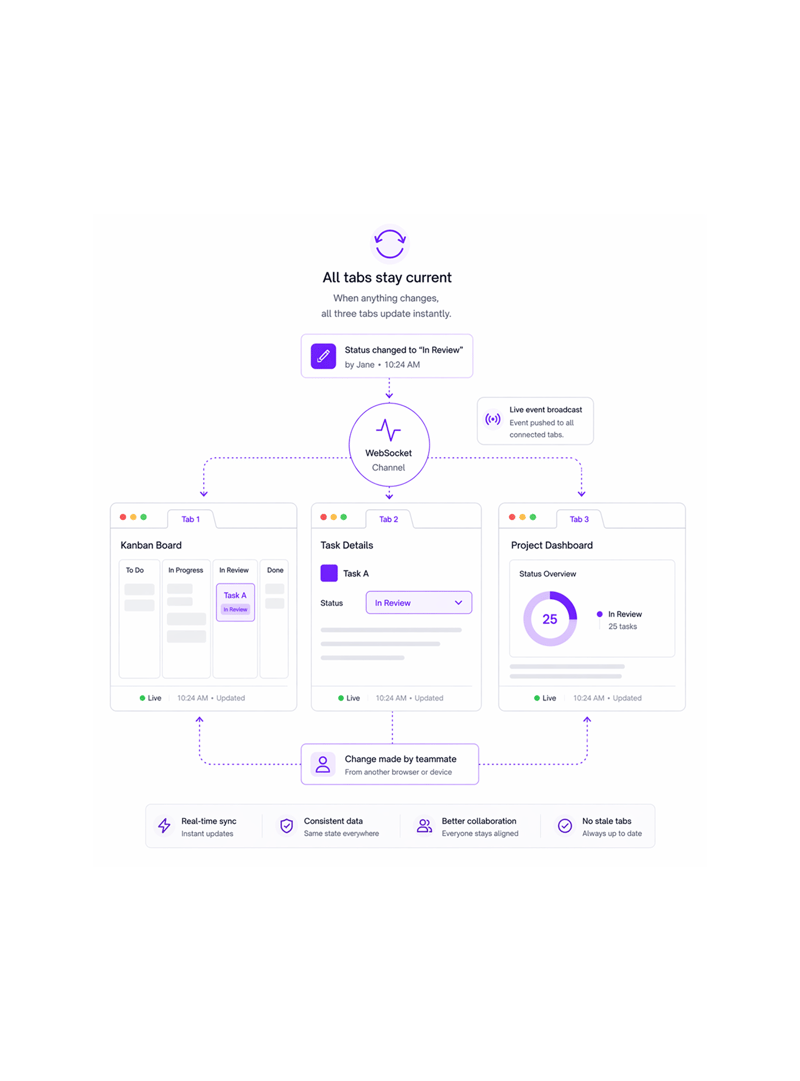
Three tabs open. All three update the instant anything changes.
A member might have the Kanban board in one tab, the task detail in a second, the dashboard in a third. When a status changes in any tab, or a teammate changes it, all three update at once. No stale tab.
Reconnect
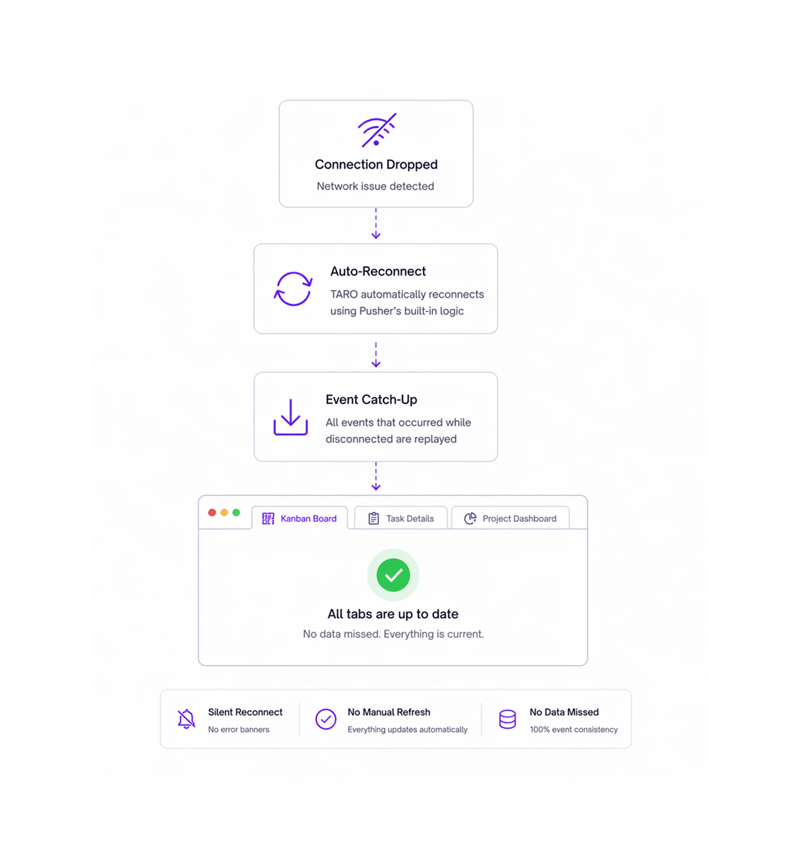
Connection dropped? TARO reconnects and fills every gap.
Network drops happen: a laptop sleeps, a network switches, a VPN reconnects. TARO detects the disconnection, reconnects via Pusher, and requests a full catch-up so no change is missed. The reconnection is silent.
- Connection dropped
- Reconnection attempted
- Event catch up replayed
- All surfaces current
Six reasons teams never go back
A shared workspace that needs a refresh to show what happened 30 seconds ago isn't shared. It's a document everyone overwrites separately.

Zero polling lag pushed the moment it happens
TARO doesn't poll the server on a timer. Every event is pushed via WebSocket the moment it occurs, sub-second delivery to every connected teammate.

Channels scoped per user no broadcast storm
Events go only to members of the relevant project or channel. A change in the Payments project doesn't fire to users without access. Private and fast.

All open tabs update from one connection
A single Pusher subscription serves every tab in the same browser session. A status change isn't re-fetched per tab; one event propagates to all tabs at once.

Whiteboard edits sync stroke by stroke
Whiteboard collaboration doesn't batch: every stroke, move, and text edit fires its own event. Collaborators see what's drawn as it's drawn, with per-person cursors.

Reconnection fills every gap automatically
No event is lost during a disconnect. On reconnect, the client requests a full catch-up: every missed status change, comment, and upload is replayed.

Comments appear without reopening the task
When a teammate comments on a task you have open, it renders immediately. No reload prompt. The thread is a live feed, not a static page.
Zero polling lag pushed the moment it happens
TARO doesn't poll the server on a timer. Every event is pushed via WebSocket the moment it occurs, sub-second delivery to every connected teammate.
Channels scoped per user no broadcast storm
Events go only to members of the relevant project or channel. A change in the Payments project doesn't fire to users without access. Private and fast.
All open tabs update from one connection
A single Pusher subscription serves every tab in the same browser session. A status change isn't re-fetched per tab; one event propagates to all tabs at once.
Whiteboard edits sync stroke by stroke
Whiteboard collaboration doesn't batch: every stroke, move, and text edit fires its own event. Collaborators see what's drawn as it's drawn, with per-person cursors.
Reconnection fills every gap automatically
No event is lost during a disconnect. On reconnect, the client requests a full catch-up: every missed status change, comment, and upload is replayed.
Comments appear without reopening the task
When a teammate comments on a task you have open, it renders immediately. No reload prompt. The thread is a live feed, not a static page.




800+
product teams
Built for every team working on the same project at the same time
Real-time collaboration makes every TARO feature trustworthy. A Kanban board nobody refreshes is one nobody trusts. When every change appears instantly, the workspace is the single source of truth.
Live event types
Polling lag
Tabs synced per event
Events lost on reconnect
The task Marcus moves at 2pm in London appears on Priya's Kanban board in Mumbai at 2pm in London.
Remote teams can't refresh to see changes. When Marcus marks auth done in London, Priya's Kanban in Mumbai updates instantly; when Sarah uploads a doc, it appears in James's panel.
Real time sync is what makes every other feature trustworthy.
The Kanban board, risk alerts, sprint burndown, and analytics dashboard all depend on real-time event delivery.

Kanban Board
Every card drag fires a status change event via the project channel; all teammates' boards update the instant a card moves.

Risk Alerts Dashboard
Alert state changes (new alerts firing, resolving, escalating) are pushed via WebSocket, so the risk dashboard is always live.

Time Tracking
Active timer events are pushed to the dashboard widget in real time; leads see who starts and stops sessions across the team without polling.

Analytics & Dashboards
Dashboard widget data (burndown charts, active task counts, workload bars) updates on every task event pushed via WebSocket, no reload needed.
Everything you need to know about Real Time Collaboration
Common questions from engineering leads, CTOs, and PMs evaluating TARO's real-time infrastructure.
Taro plans, tracks, and flags risks before they hit.
Keep every project on track with AI that spots slippage early and tells your team what to do next.
- 87%
- on-time delivery
- 2.4x
- team throughput
- 0
- deadlines missed
- 35%
- fewer status meetings