





Task Dependencies Built for
Complex Project Sequencing
Link tasks with 4 dependency types. Circular detection, a ReactFlow graph, cascade reschedule skipping weekends, and undo.
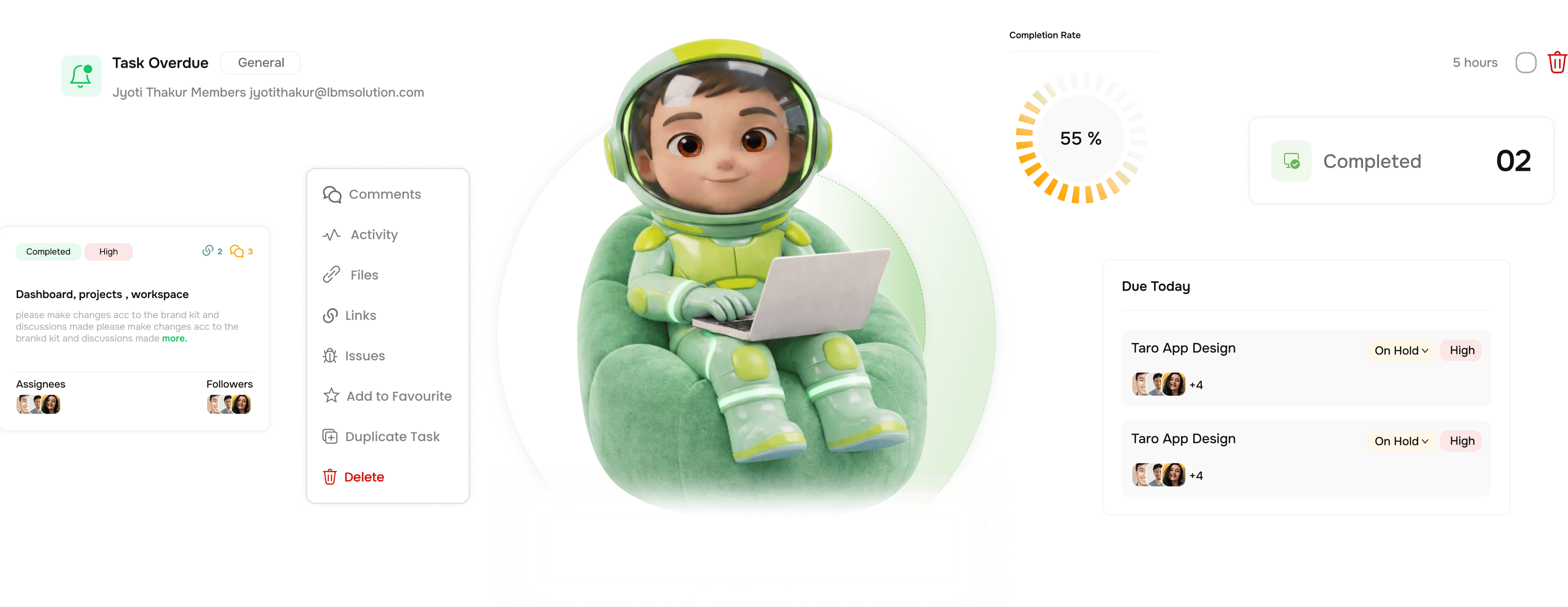
From linking tasks to a safe, visualised dependency map in four steps
TARO handles the full dependency lifecycle: creating links, detecting conflicts, cascading changes, and rolling back.
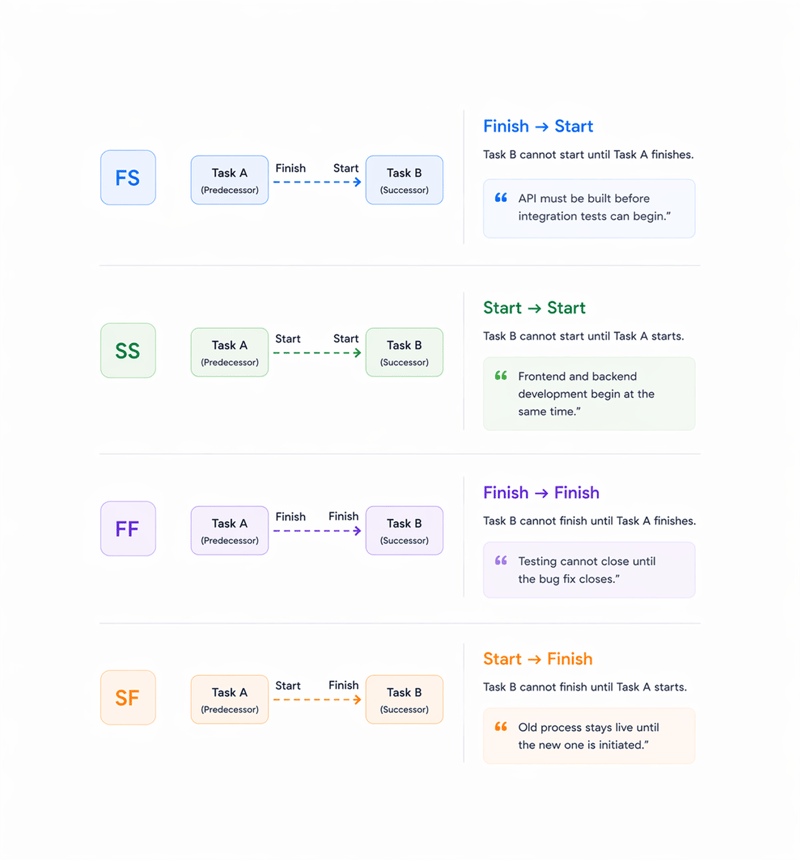
Link
Four types. Every real world task relationship covered.
Most tools give you one dependency type blocks. TARO supports all four standard dependency relationships used in professional project management. Each type is set from the task detail panel in two clicks no separate editor.
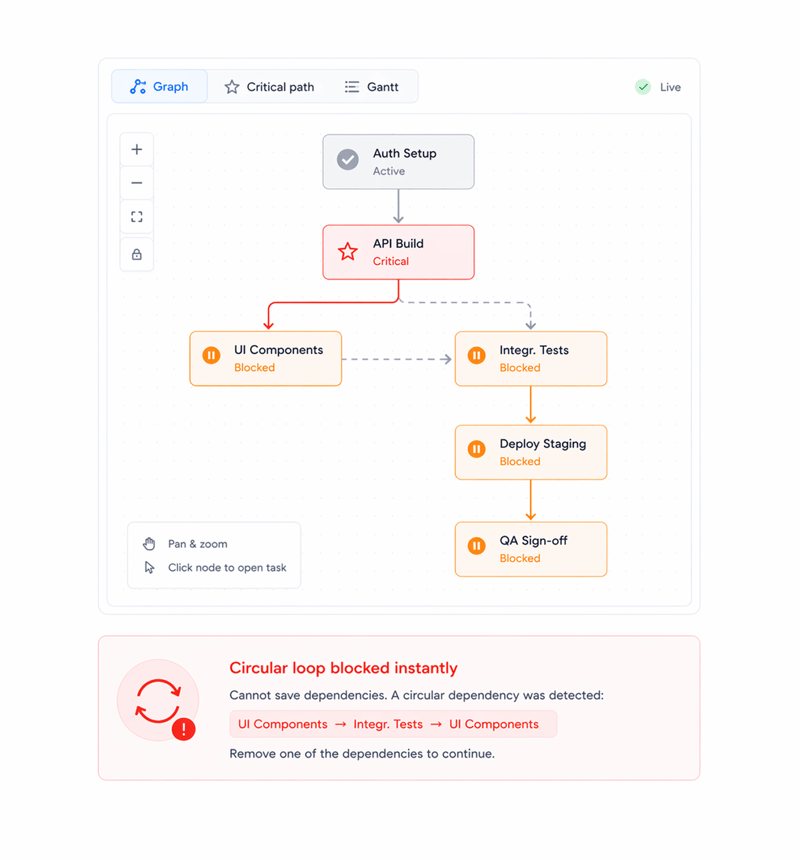
Visualise
See the full dependency graph.Circular loops flagged immediately.
Every link renders in TARO's ReactFlow graph, a pannable, zoomable diagram with each task a node and each dependency an edge. When a circular link is created, TARO detects it, blocks the save, naming the loop.
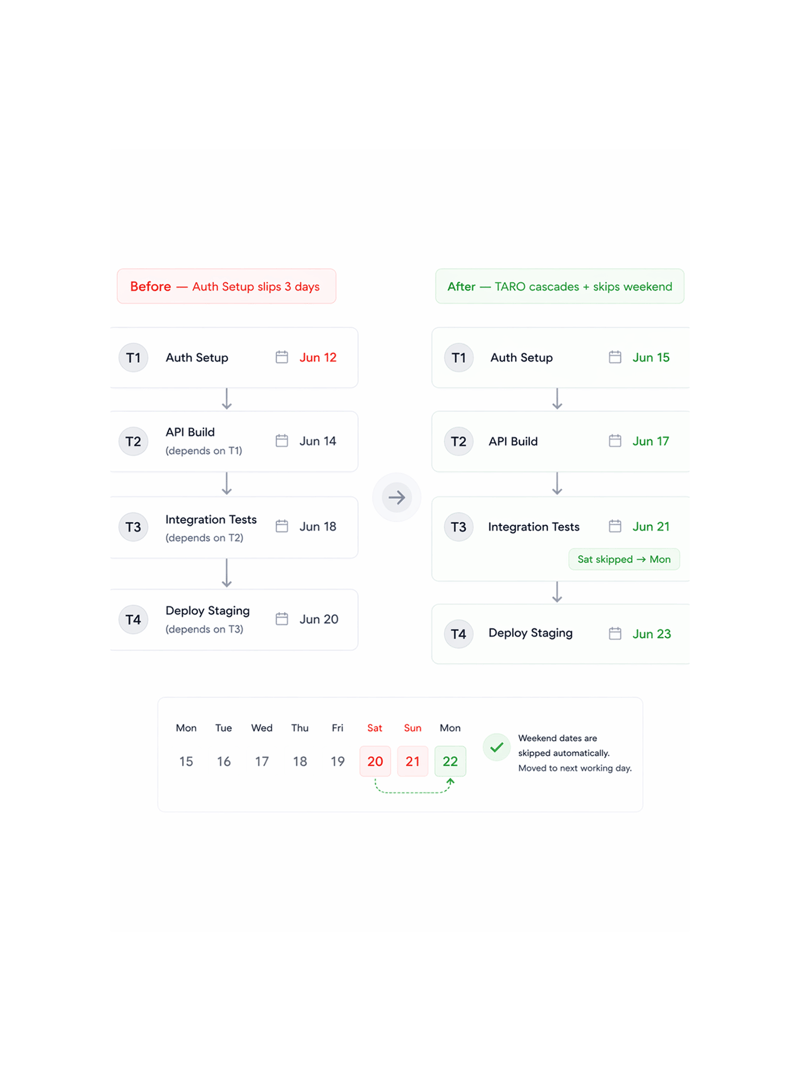
Cascade
One date change cascades through every dependent task.
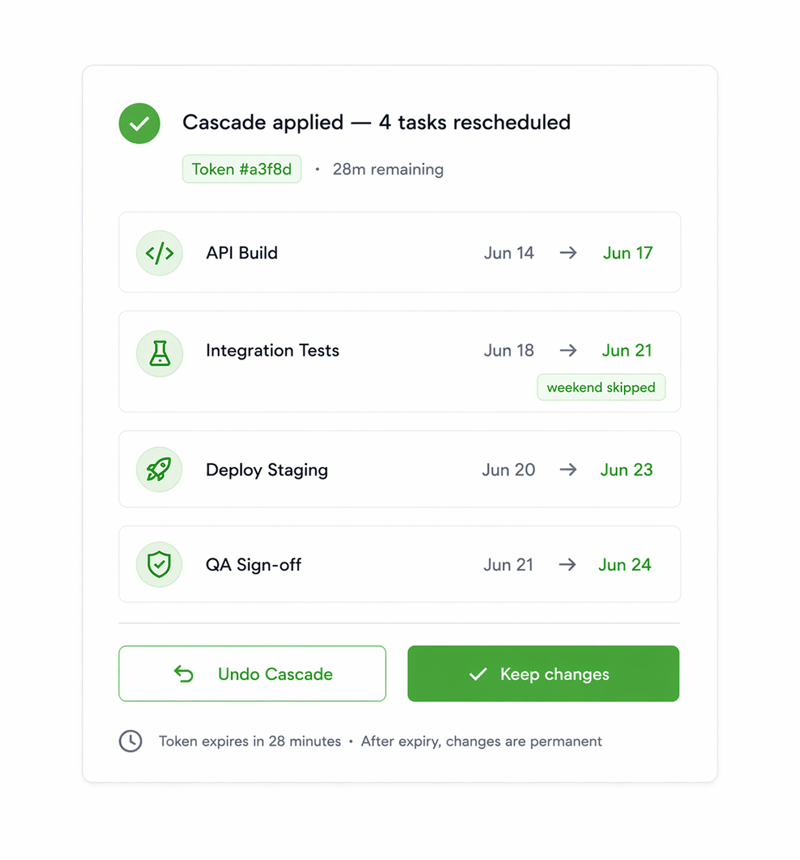
When a task's due date shifts, TARO automatically recalculates due dates for every downstream task in the chain, propagating the delay forward with working day awareness. A cascaded Saturday or Sunday moves forward to Monday.
Undo
Applied the wrong cascade? One click rolls back everything.
Every cascade reschedule generates a unique undo token a snapshot of all date changes in that operation. It expires after a configurable window (default 30 minutes). Within it, Undo restores every affected due date at once.
- Lead created
- Company auto created
- Contact auto linked
- AI score applied
- Live table update
Six reasons teams never go back
One tool with four dependency types, a visual graph, circular detection, smart cascade reschedule, and a safety net without a separate app.

Four dependency types not just blocks
Finish to Start, Start to Start, Finish to Finish, and Start to Finish cover every sequencing constraint. One relationship type flattens every project. Four makes it accurate.

Circular dependencies blocked before they're saved
TARO detects circular loops the instant you create a link that would form one, before it's saved. The error names every task in the loop and rejects the link.

ReactFlow graph makes the whole chain visible
An interactive, pannable, zoomable graph shows every relationship as a directed edge. Critical path tasks are highlighted, completed tasks greyed, and any node opens its task.

Cascade reschedule propagates delays automatically
One slip propagates forward through the entire dependency chain automatically. Every downstream due date is recalculated the instant the upstream changes.

Weekend skipping prevents nonsensical due dates
Cascade reschedule is aware of working days. When a propagated date lands on a Saturday or Sunday, TARO moves it to the following Monday. No weekend due dates.

Token undo reverses the entire cascade in one click
Regret a cascade? The undo token reverses every date change atomically, not field by field. Every affected task snaps back to what it was before.
Four dependency types not just blocks
Finish to Start, Start to Start, Finish to Finish, and Start to Finish cover every sequencing constraint. One relationship type flattens every project. Four makes it accurate.
Circular dependencies blocked before they're saved
TARO detects circular loops the instant you create a link that would form one, before it's saved. The error names every task in the loop and rejects the link.
ReactFlow graph makes the whole chain visible
An interactive, pannable, zoomable graph shows every relationship as a directed edge. Critical path tasks are highlighted, completed tasks greyed, and any node opens its task.
Cascade reschedule propagates delays automatically
One slip propagates forward through the entire dependency chain automatically. Every downstream due date is recalculated the instant the upstream changes.
Weekend skipping prevents nonsensical due dates
Cascade reschedule is aware of working days. When a propagated date lands on a Saturday or Sunday, TARO moves it to the following Monday. No weekend due dates.
Token undo reverses the entire cascade in one click
Regret a cascade? The undo token reverses every date change atomically, not field by field. Every affected task snaps back to what it was before.




800+
product teams
Built for every project where one slip cascades into many
Engineering leads, product managers, and scrum masters use Task Dependencies to make a project's chain visible before a delay becomes a missed deadline. The graph, cascade, and undo token do it.
Dependency types
Circular loops allowed
Cascade skips weekends
Click to undo full cascade
The auth blocker moves everything downstream TARO shows exactly what and by how much.
Leads set links at planning: auth before API, API before tests. When auth slips three days, TARO cascades it through every downstream task, skips weekends, and shows the impact.
Dependencies are just the structure
TARO's intelligence reads your dependency graph to predict risk, surface bottlenecks, and forecast delivery.

Completion Analysis
Predicts your project's actual finish date from your dependency chain, current velocity, and known blockers. Date, variance, and confidence.

Risk Prediction
Reads your dependency graph to find blocked tasks with downstream dependents, surfacing escalations before a chain stall fails the sprint.

Bottleneck Analysis
Identifies single points of failure in the chain, where one stall blocks the most downstream work, and prescribes fixes before it costs the sprint.

Auto Prioritization
Ranks the backlog using dependency weight: tasks that unblock the most downstream work rank higher, so the most enabling work surfaces first.
Everything you need to know about Task Dependencies
Common questions from engineering leads, PMs, and scrum masters evaluating TARO's dependency system.
Taro plans, tracks, and flags risks before they hit.
Keep every project on track with AI that spots slippage early and tells your team what to do next.
- 87%
- on-time delivery
- 2.4x
- team throughput
- 0
- deadlines missed
- 35%
- fewer status meetings